
Planning Center Timer Alternative
A dedicated stage timer for churches using Planning Center
Planning Center LIVE has a countdown timer, but it wasn't built for the stage. If you've ever squinted at a tiny timer from the platform, or wished you could send a message to your speaker mid-sermon, Stagetimer is the upgrade your tech team has been asking for. Works alongside Planning Center — no need to replace anything.
No credit card and no downloads required
Trusted by 6,837 video producers and event organizers, and used for events at:


Stagetimer vs Planning Center LIVE Timer
| Feature | Stagetimer | Planning Center LIVE |
|---|---|---|
| Fullscreen stage display | Dedicated fullscreen viewer | Small inline timer |
| Standalone timers | Create any timer, anytime | Tied to service plan items |
| Speaker messaging | Send messages to stage display | |
| Shareable link / QR code | Requires PCO login | |
| Countdown, count up, clock | All three | Countdown only |
| Multiple timers / rundown | Unlimited timers per room | One per service item |
| Custom branding (logo, colors) | ||
| Alert colors and chimes | Configurable wrap-up alerts | |
| Works without internet | Desktop app (Mac, Windows) | Requires internet |
| API / Stream Deck | ||
| Worship planning & scheduling | Full church management suite | |
| Volunteer management | ||
| Free tier | Free Starter plan | Included with PCO Services |
| Pricing | See pricing (Free tier available) | See PCO pricing |
How are they different?
Stagetimer
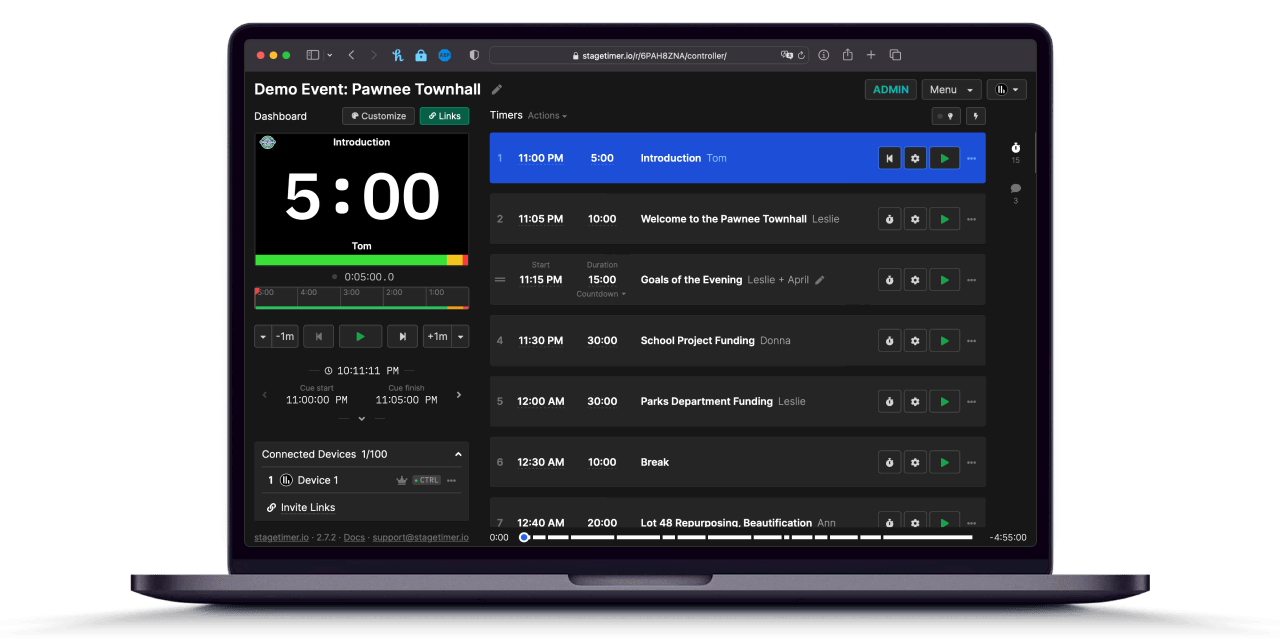
A dedicated countdown timer and run-of-show tool built for stages and screens. Fullscreen display your speakers can read from across the room — with color-coded alerts, wrap-up chimes, and live messaging.
Runs in any browser, works on any device, no Planning Center account needed. Share a link with your tech team, guest speaker, or campus pastor — they see the timer instantly.
Planning Center LIVE
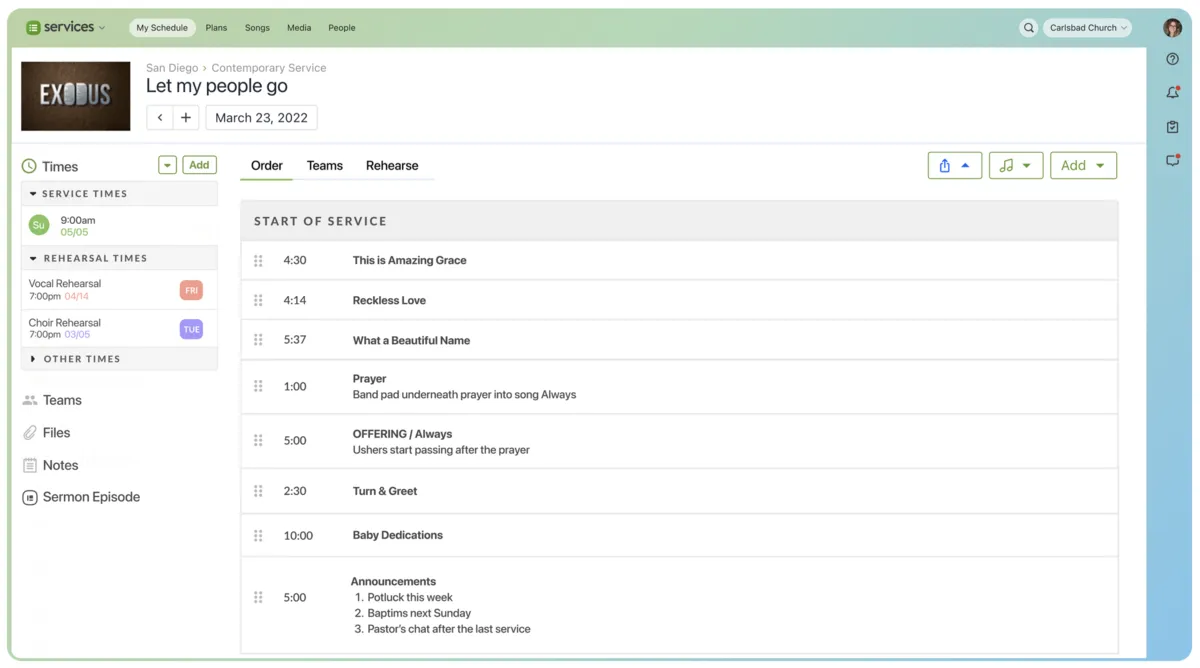
A comprehensive church management platform covering service planning, volunteer scheduling, giving, check-ins, and more. Its LIVE feature includes a countdown timer that tracks each item in your service plan.
The timer works well for the tech booth operator following along on a laptop, but it wasn't designed as a stage-facing confidence monitor. The display is small, and there's no way to share it as a standalone fullscreen view for speakers.
👉 Try Stagetimer for free — no account needed
Why churches add Stagetimer to their setup
Planning Center is great at what it does — organizing your service, scheduling volunteers, managing your worship teams. But its built-in timer has real limitations when it comes to the stage.
The timer is too small to read from stage
This is the number one complaint. Planning Center LIVE shows the countdown inline, next to your service items. It's designed for the person at the tech booth laptop, not for a speaker standing 20 feet away. A third-party Chrome extension called Comfort Monitor Live was literally created to solve this problem — "countdown timers you can actually see from stage."
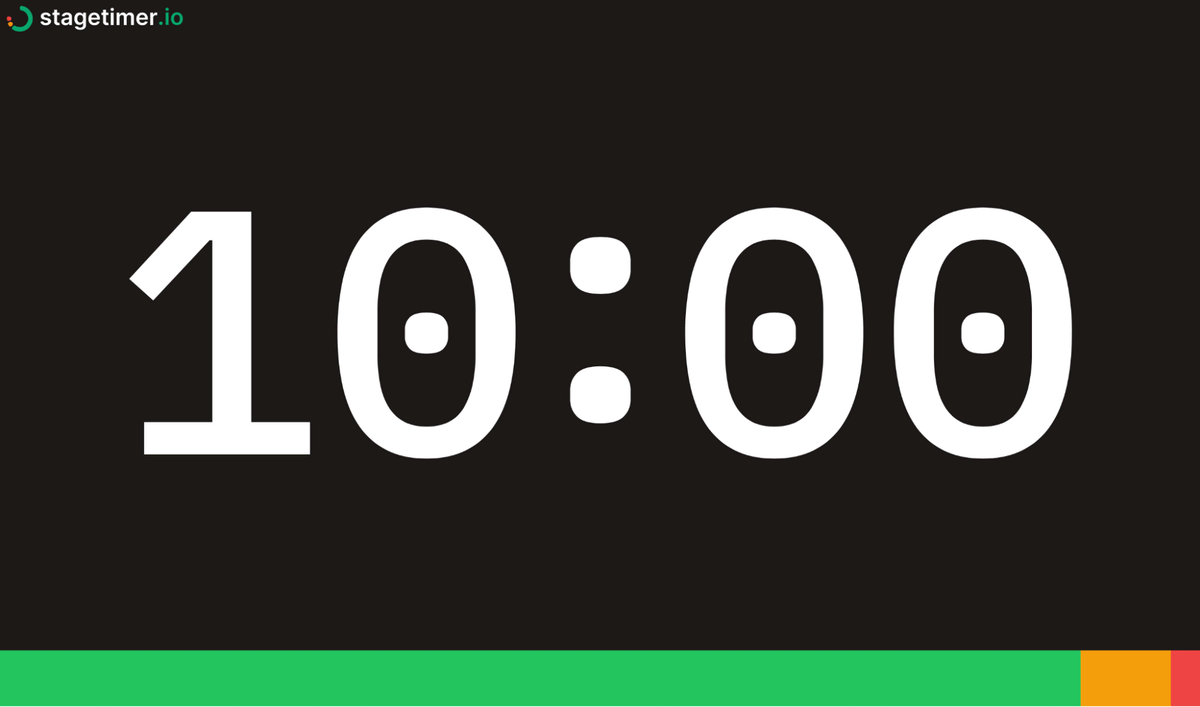
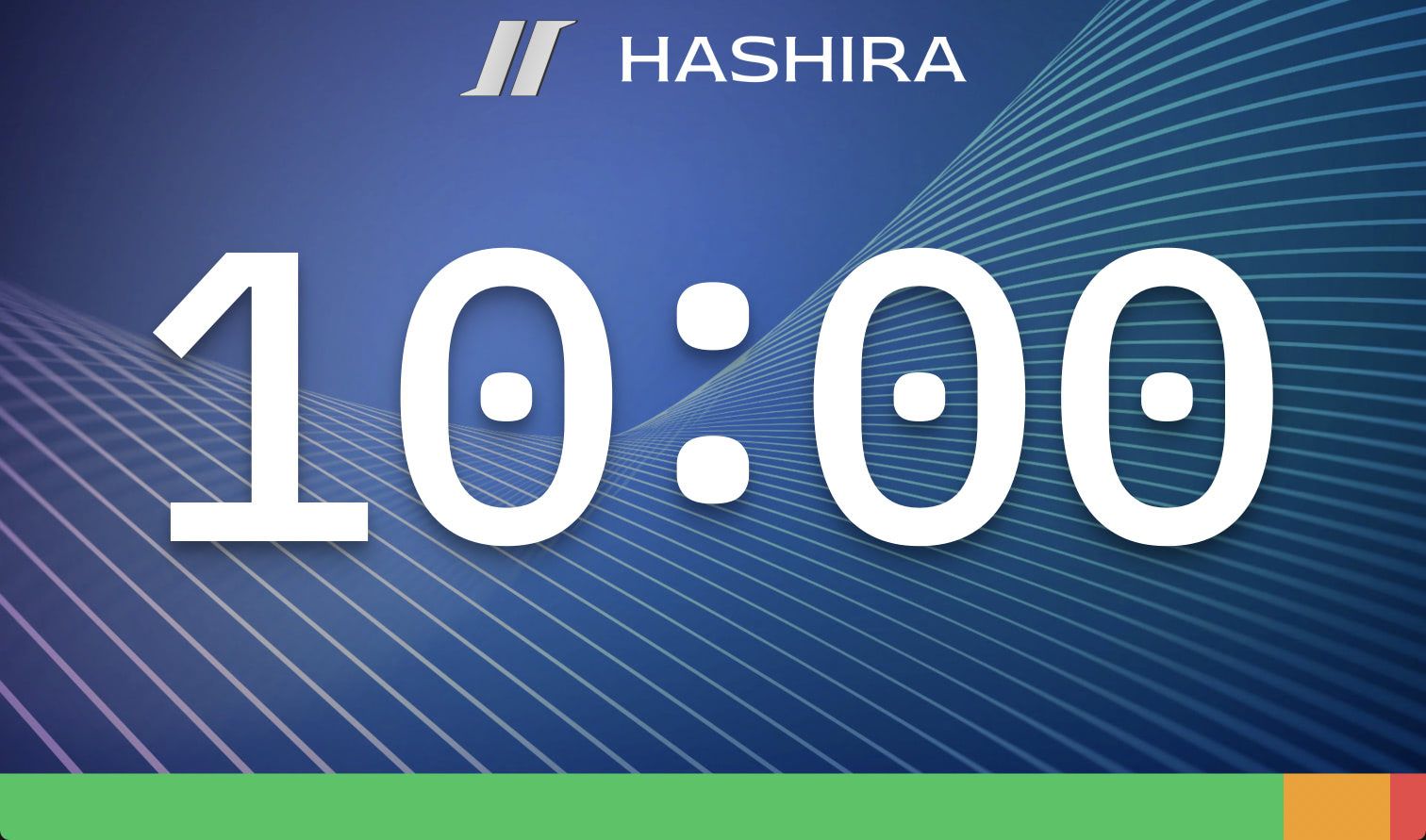
Stagetimer's viewer is fullscreen by default. Large, clear numbers on a customizable background. Put it on a confidence monitor, a TV on stage, or a tablet at the podium. Your speakers will see it.
You can't run timers outside of a service plan
Need a quick 5-minute countdown for a break between services? A timer for your youth group activity? An ad-hoc countdown for rehearsal? With Planning Center LIVE, every timer is tied to a planned service item. You have to build it into a plan first.
With Stagetimer, create a timer in seconds. No plan needed. No setup. Just a countdown that works.
No way to message speakers during the service
When the sermon is running long or there's a schedule change, your only option with PCO is to walk up to the speaker or wave from the booth. Stagetimer lets you send text messages directly to the stage display — "wrap up in 2 minutes" or "skip the next announcement" — without interrupting the flow.
Keep Planning Center, add Stagetimer
This isn't either/or. Keep Planning Center for what it's great at — service planning, scheduling, and team management. Add Stagetimer as your dedicated stage timer. They complement each other perfectly.
Trusted by event teams worldwide

Founder & Creative Director at Southam Creative

Owner/General Manager at Northeast Colorado Broadcasting
Built for the stage

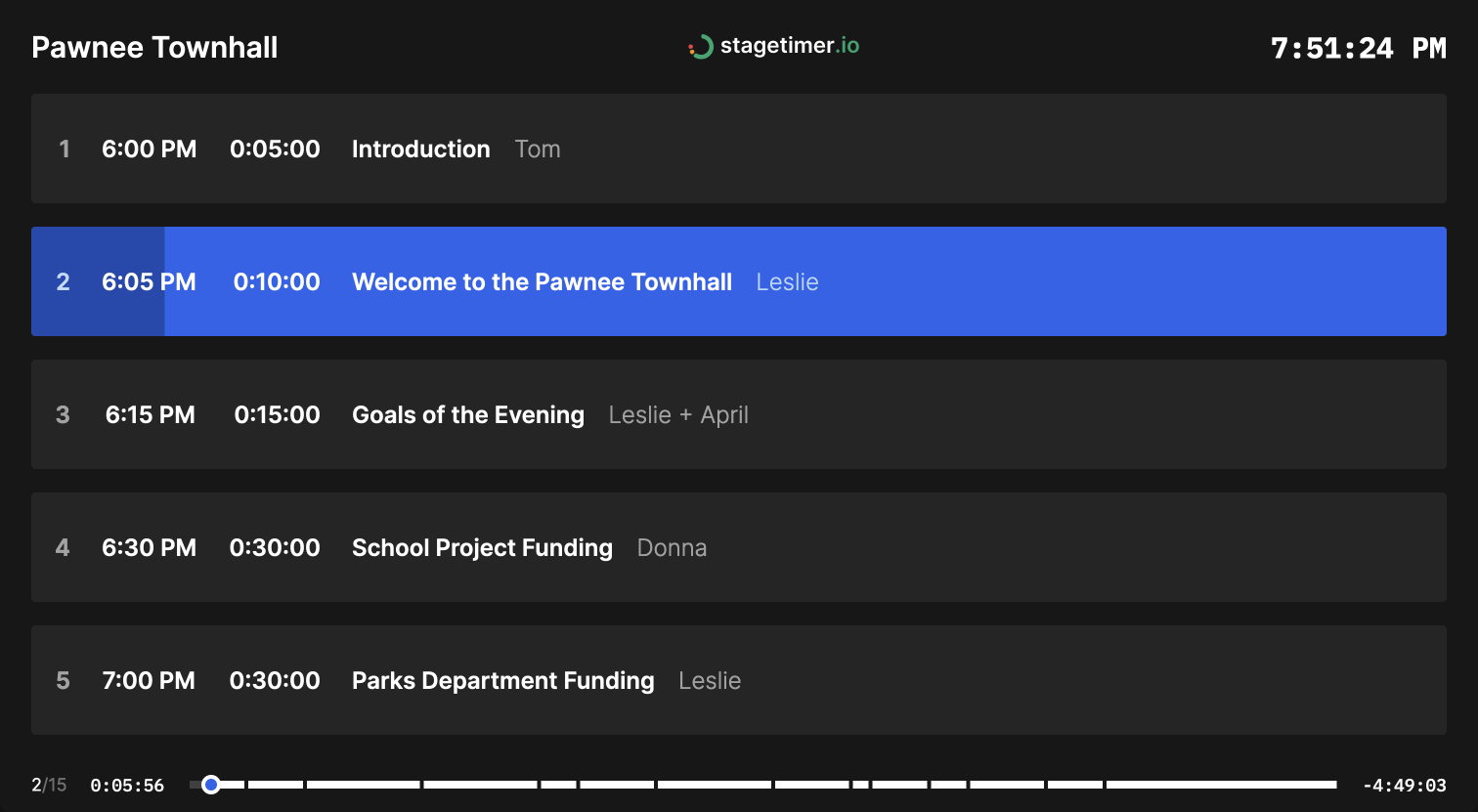
Your full service rundown in one place
Build your run of show with timed segments — worship, announcements, sermon, offering. Link timers to auto-advance through the service, or trigger each one manually. Drag and drop to rearrange. Import from a spreadsheet if you already have your order of service planned out.
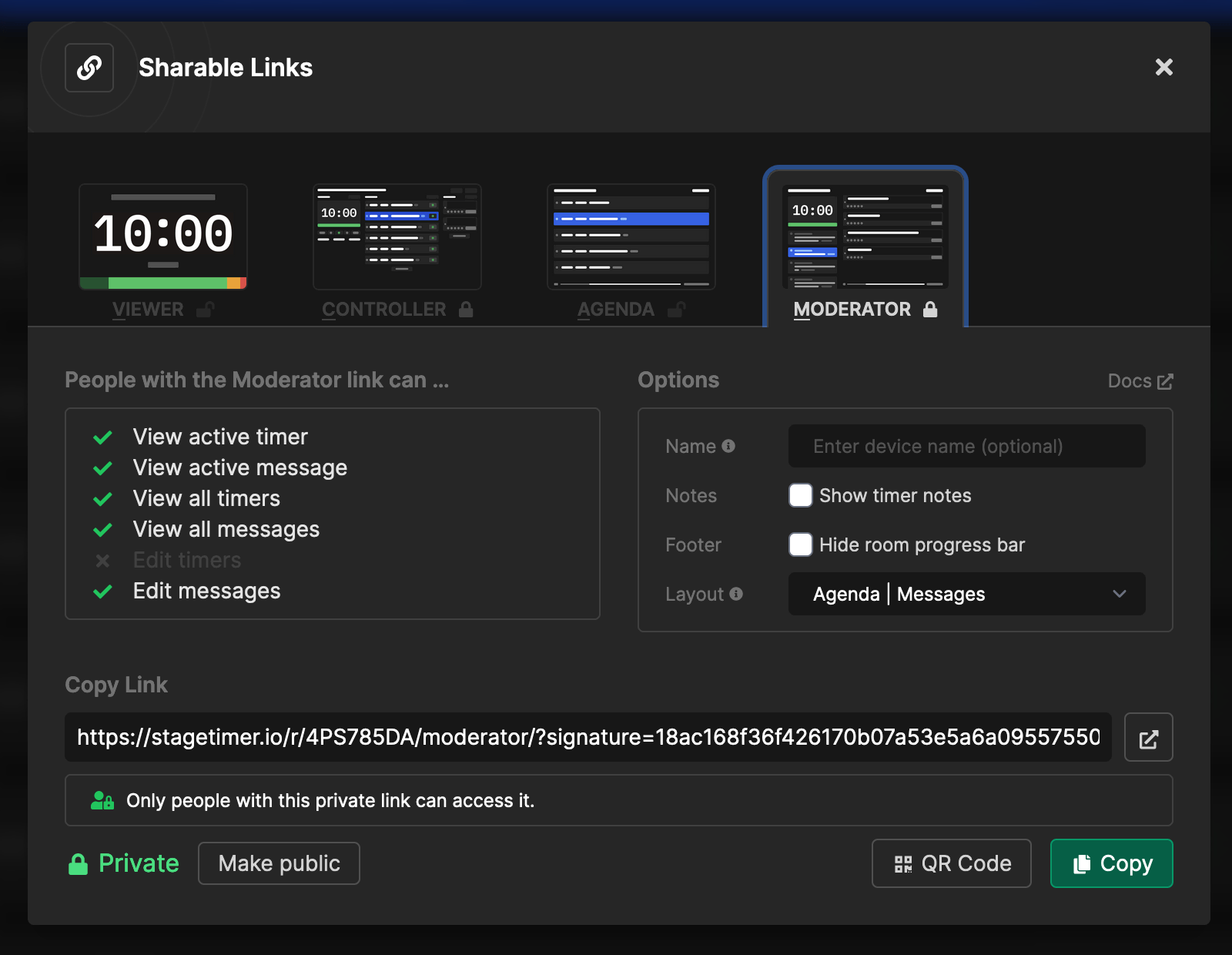
Share with anyone — no login required
Send a link or scan a QR code. Guest speakers, worship leaders, campus pastors at satellite locations — anyone can see the timer from their own device. Set permission levels so your tech team can control timers while speakers just follow along.
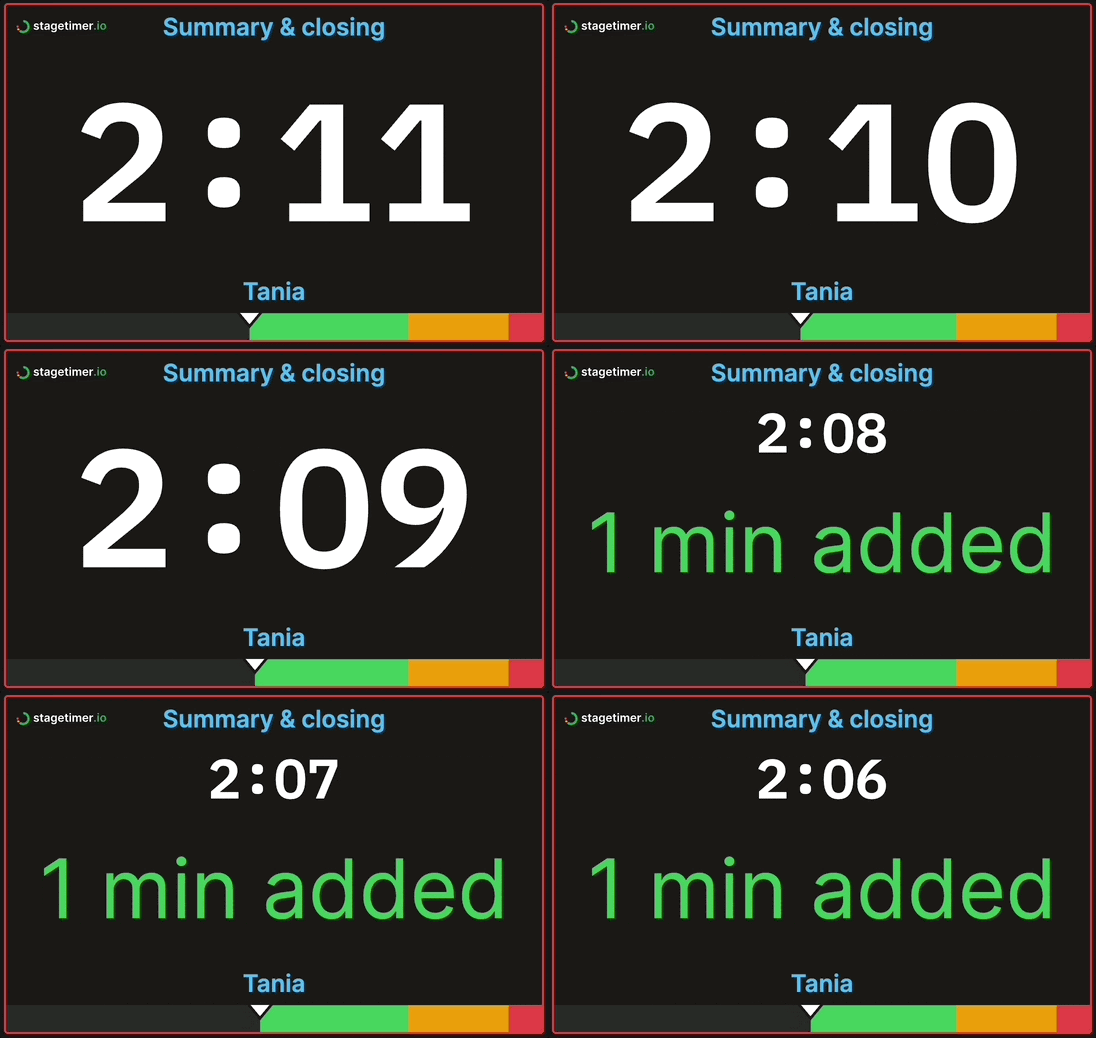
Messages and alerts on the stage display
Send text messages directly to the confidence monitor. Use pre-programmed messages for common cues ("wrap up," "next slide") or type custom ones on the fly. Color-coded alerts and chimes help speakers notice when time is running out — without anyone having to wave from the booth.
Frequently asked questions
Does Stagetimer replace Planning Center?
No. Stagetimer is a dedicated stage timer — it doesn't do service planning, volunteer scheduling, or any of the other things Planning Center handles. Most churches use both: Planning Center for organizing the service, Stagetimer for displaying countdowns on stage.
How does it work during a service?
Your tech booth operator opens Stagetimer in a browser and builds the service rundown (or imports it from a spreadsheet). They share a viewer link to a confidence monitor, TV, or tablet on stage. Speakers see a fullscreen countdown. The operator can start, pause, skip timers, and send messages — all from their device.
Can we use it across multiple campuses?
Yes. Share the viewer link with any location — they'll see the same timer in real time. The Premium plan supports up to 50 simultaneous connections, which covers most multi-campus setups. Each campus just needs a browser and a screen.
What if our internet goes down mid-service?
The Stagetimer desktop app works entirely offline on Mac and Windows. If you've had connectivity issues during services, the desktop app is the safest option. It runs on your local network — no cloud dependency.
Is there a free version?
Yes. The Starter plan is free forever — no account required, no ads. It includes a timer and basic rundown. Try it at your next service and see if it fits your workflow before committing to a paid plan.
Pricing
Stagetimer's speaker timer has some of the most affordable pricing. Enjoy all the essential timer-management functions for free.
Need our premium countdown timer for a one-time event? Pay a one-time flat fee and get full-time access for 10 days. Or, pay a small monthly subscription (save 20% annually) for ongoing access to our full-suite public speaking timers to create and manage your events and presentations.
Starter
Pro
Premium