
DSAN Limitimer Alternative
A software speaker timer for teams outgrowing dedicated hardware
The DSAN Limitimer is a solid conference timer. But if you've hit its limits — one screen, no messaging, no remote access — Stagetimer picks up where the hardware stops. Same green/yellow/red cues your speakers already know, now on any screen with a browser.
No credit card and no downloads required
Trusted by 6,837 video producers and event organizers, and used for events at:


Stagetimer vs DSAN Limitimer
| Feature | Stagetimer | DSAN Limitimer |
|---|---|---|
| Fullscreen stage display | Any screen with a browser | Dedicated LED signal lights |
| Green / yellow / red cues | Color changes + progress bar | Physical LED lights |
| Multi-screen support | Unlimited viewers via shared link | Up to 3 signal lights per console |
| Speaker messaging | Send text to stage display | |
| Clock time display | Time of day on viewer | Countdown / count-up only |
| Remote access | Control from anywhere | Physical console only |
| Rundown / agenda | Full rundown with multiple timers | Single timer at a time |
| API / integrations | REST API, Socket.io, NDI, OBS | |
| Custom branding | Logos, colors, backgrounds | |
| Works without internet | Requires internet connection | Fully standalone |
| Visibility under stage wash | Depends on screen brightness | Ultra-bright LEDs |
| Setup | Open a browser, share a link | Ship hardware, run cables |
| Pricing | See pricing (free tier available) | See DSAN pricing |
What is the DSAN Limitimer?
The DSAN Limitimer is a dedicated hardware speaker timer. A console controls signal lights that sit on a podium or face the stage, showing green, yellow, and red LEDs to keep speakers on schedule.
AV companies and convention centers have used it for years. It works reliably, needs no WiFi, and the LEDs cut through stage lighting. A full system — console, podium light, audience light, and cables — covers most conference timing needs.
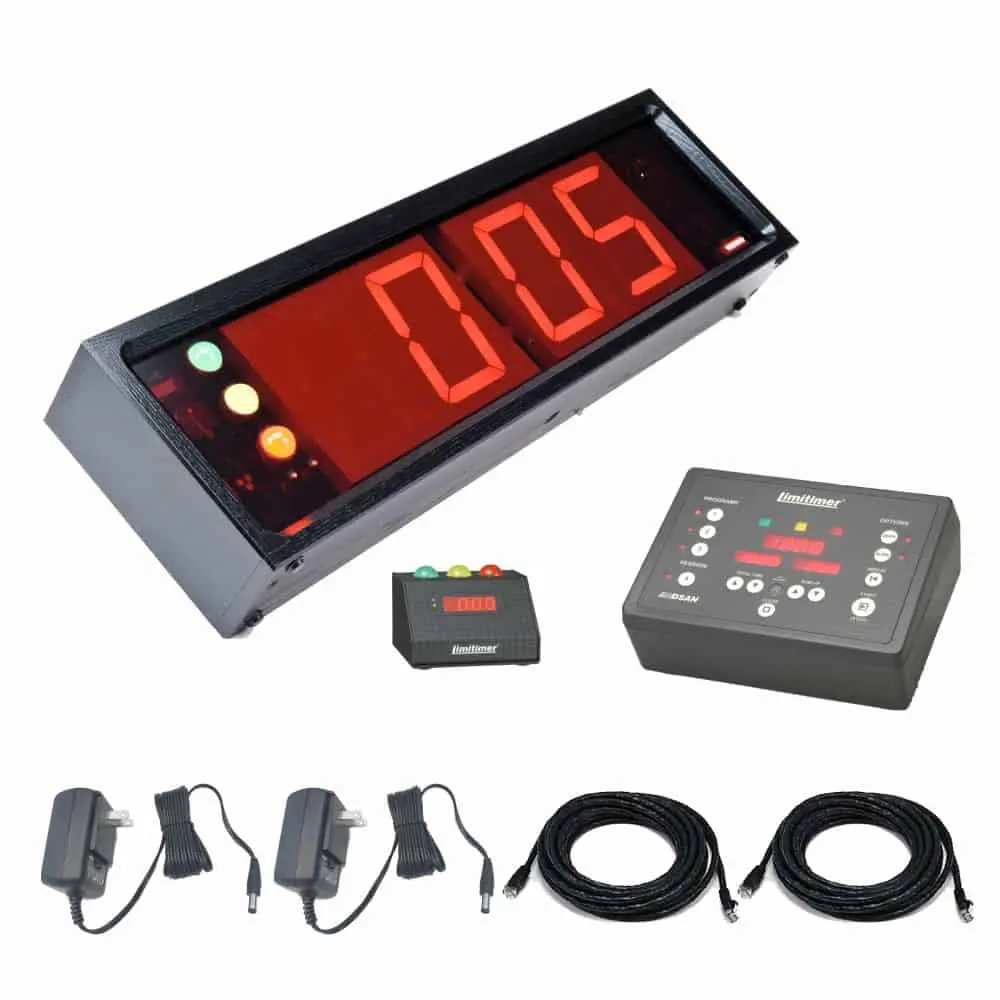
A complete Limitimer staging kit: console, displays, cables, and power supplies. Image: dsan.com
The podium signal light shows a small countdown with colored indicators. The larger audience signal light has 4-inch digits visible from further away. Up to three lights can be driven from one console.
It does one thing well: count down and change colors. But that focus comes with limits — no text messaging, no remote access, no integrations, and no way to show the same timer on more than three screens.
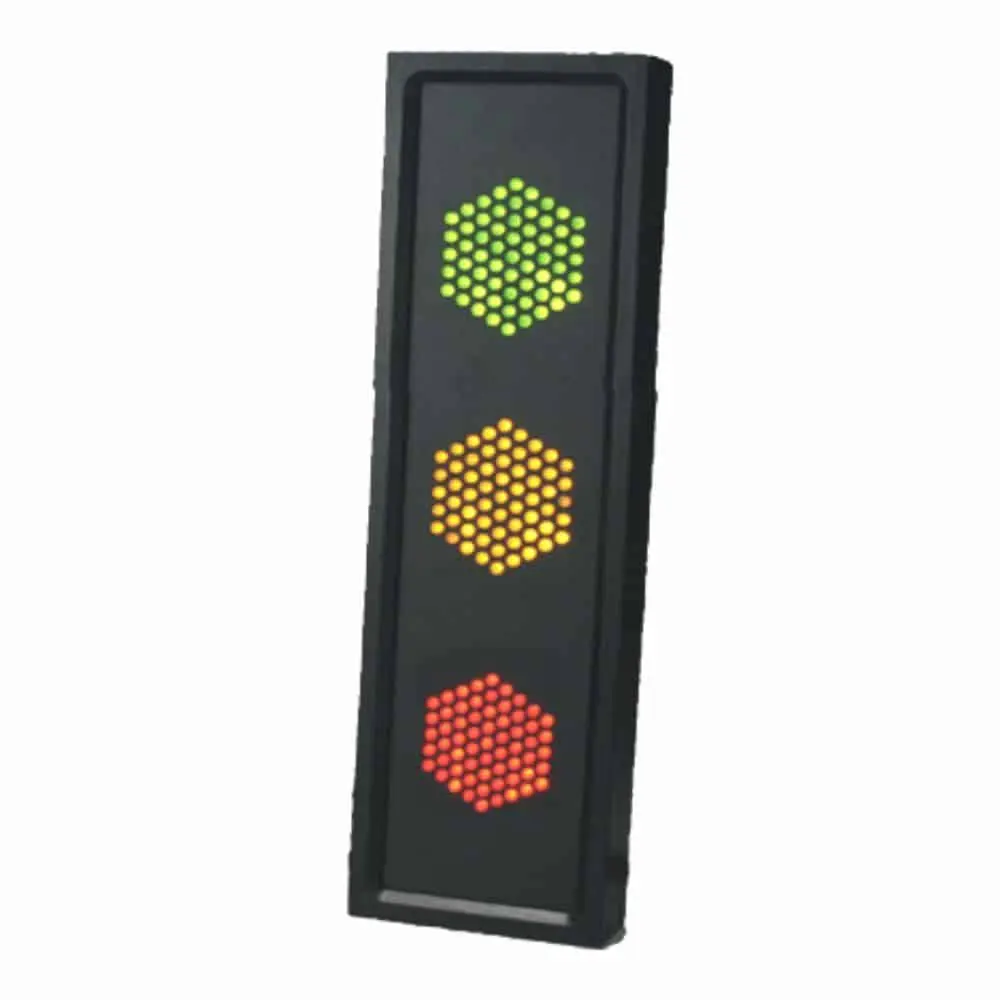
DSAN traffic-light signal — the visual language speakers know. Image: dsan.com
Why teams switch to Stagetimer
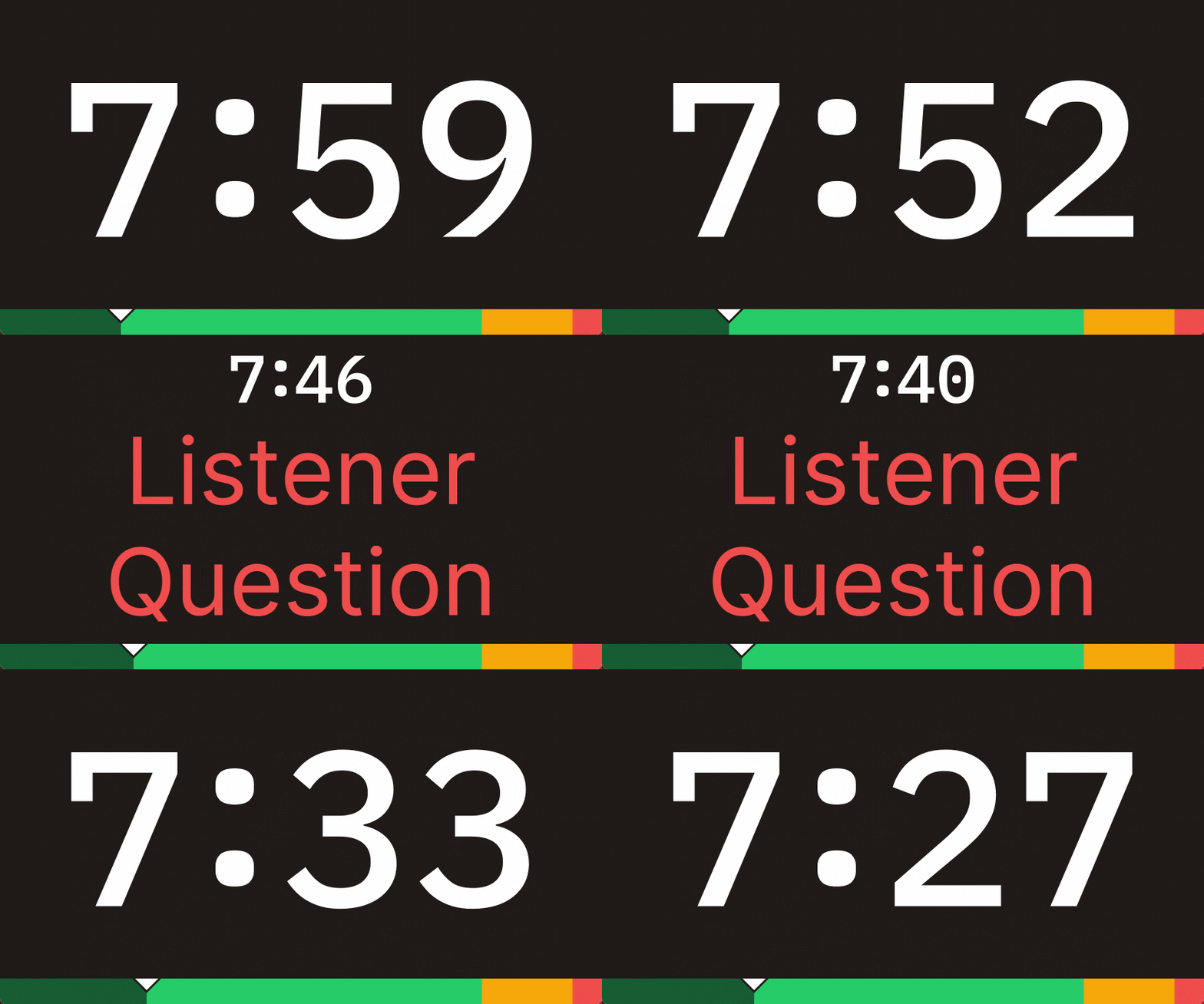
Fullscreen countdown with the same color cues
Stagetimer's viewer shows a large countdown with a green/yellow/red progress bar — the same visual language your speakers already know. The difference: it runs on any screen with a browser. TVs, monitors, tablets, phones, projectors.
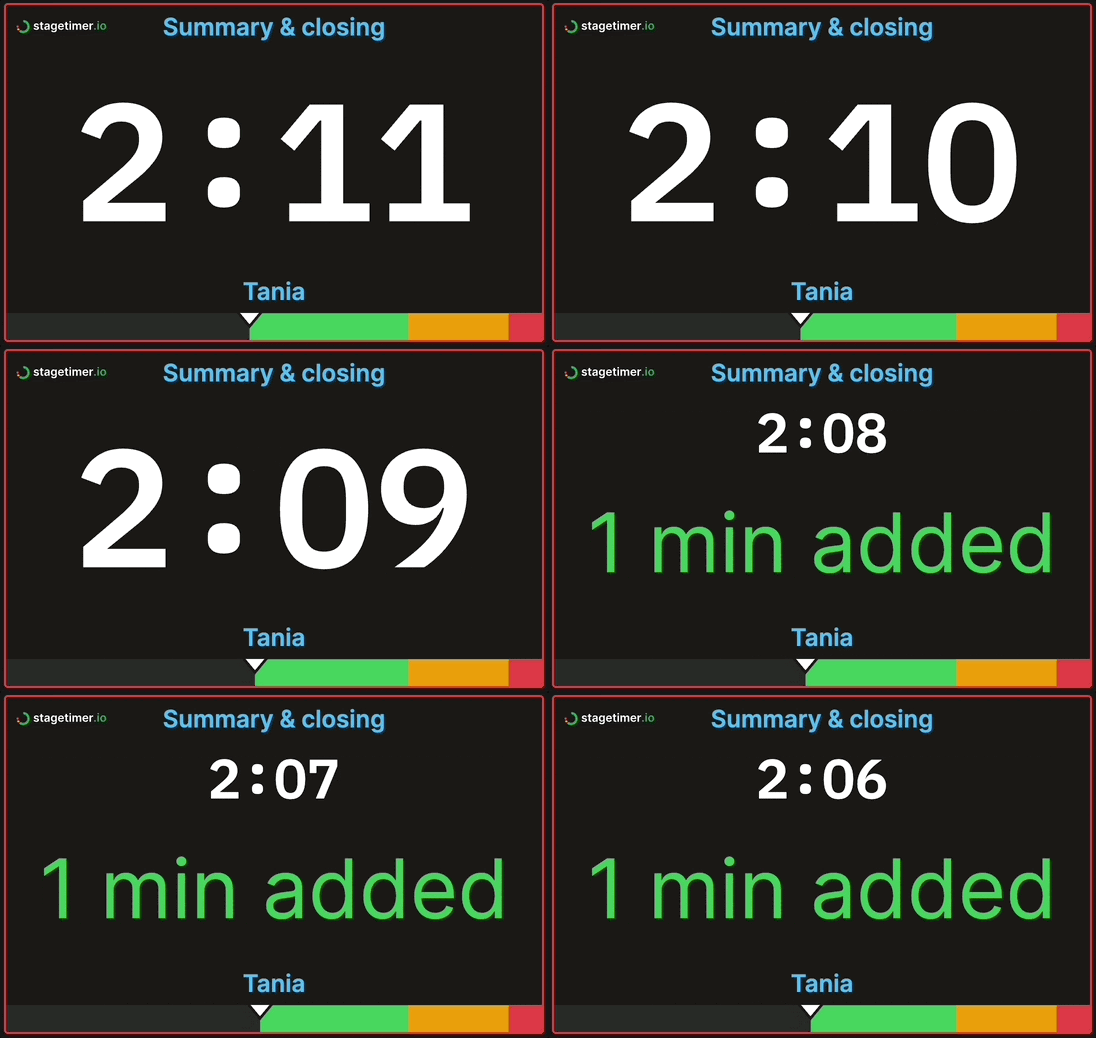
Send messages to the stage
Type a message and it appears on the viewer instantly. Tell a speaker their Q&A is cut short, or that the next session is delayed — without walking to the stage.
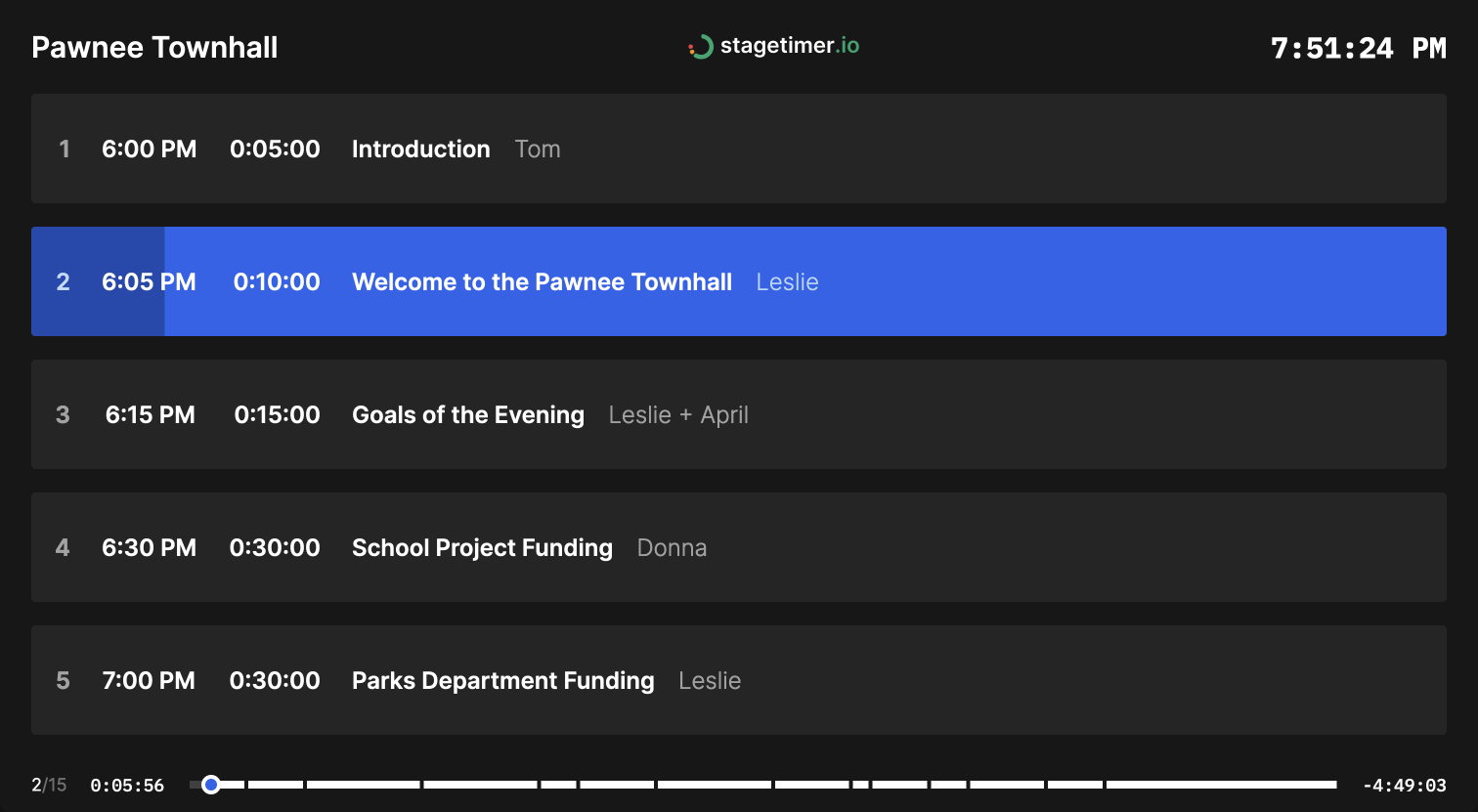
A full rundown, not just a single timer
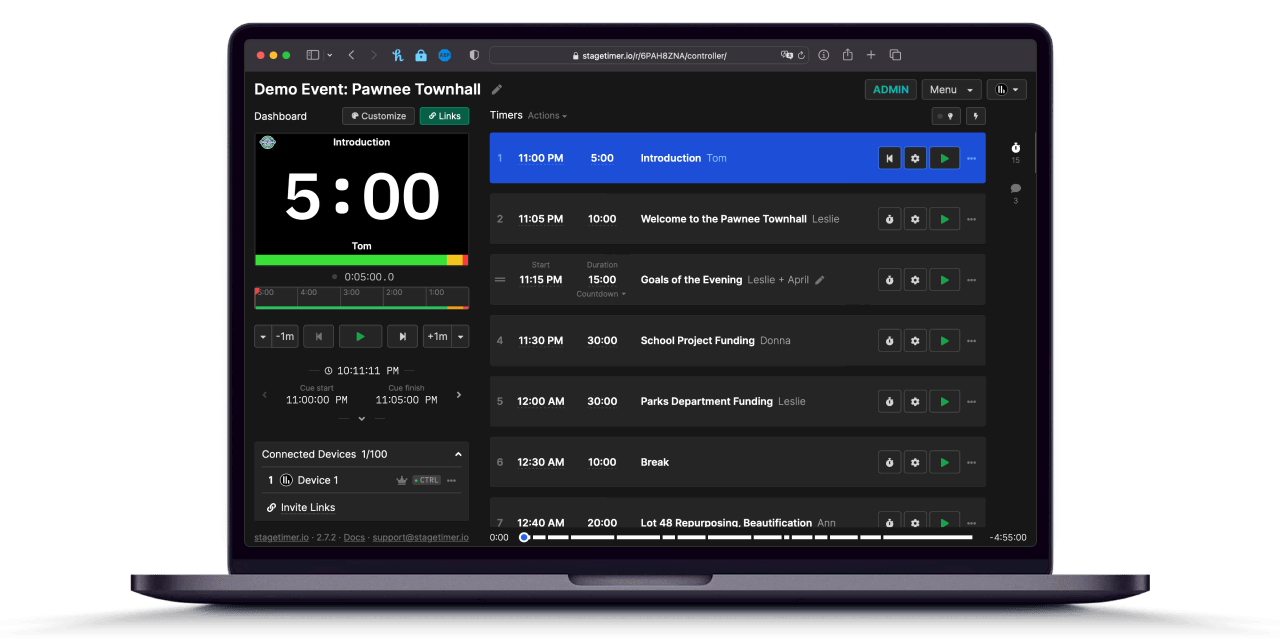
The Limitimer runs one countdown at a time. Stagetimer manages your entire event as a rundown — timed segments that auto-advance, with titles, speakers, and notes. Your crew and speakers see the same agenda in real time.
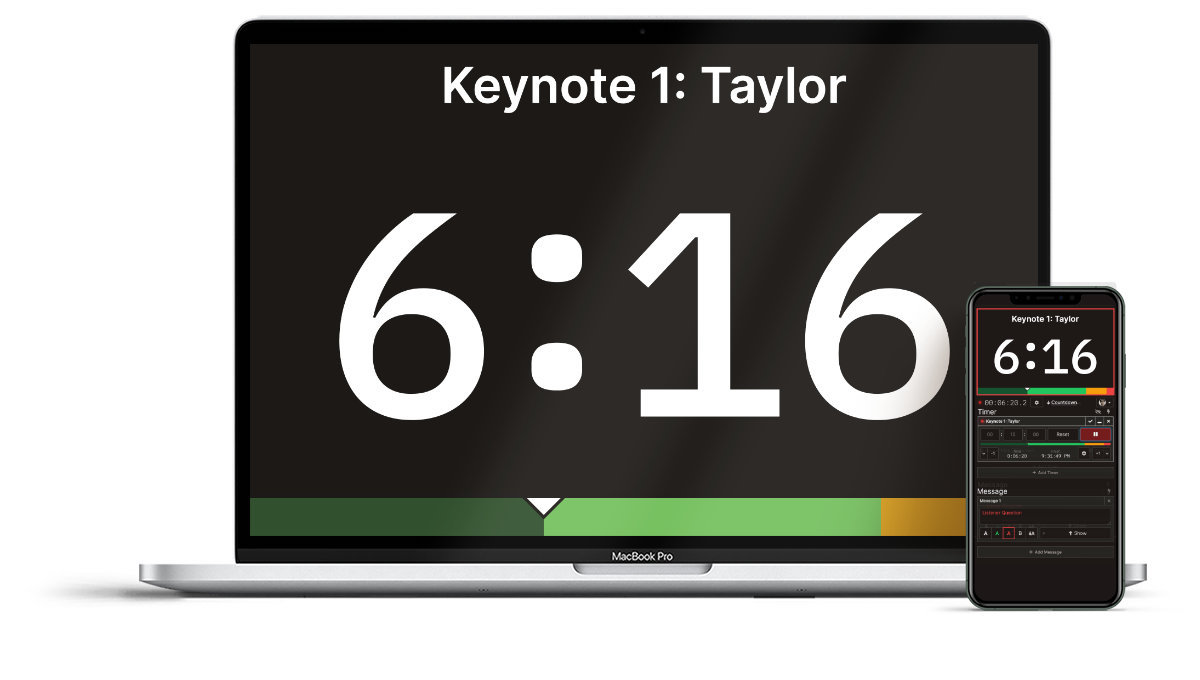
No hardware to ship, no cables to run
A Limitimer setup means a console, signal lights, Cat-5 cables, power supplies, and a transit case. Scaling up adds more boxes and wiring. Stagetimer runs in a browser — set up from your hotel room, control from your phone during the show.

VP at NorthCoast Media Group

Senior Webcast Engineer at Ecast Productions
When the Limitimer is the better choice
The DSAN Limitimer isn't outdated — it's focused. There are real situations where dedicated hardware wins:
- No reliable internet. Stagetimer needs an internet connection. If you're at a venue with bad WiFi and no way to bring your own hotspot, the Limitimer works completely standalone.
- Extreme stage lighting. The Limitimer's LED signal lights are purpose-built for visibility under bright stage wash. A monitor running Stagetimer can work with a bright screen, but a dedicated LED pod on the podium is hard to beat in the worst conditions.
- Podium-only, nothing else needed. If all you need is a green/yellow/red light on a lectern — no messaging, no rundown, no remote access — the Limitimer does exactly that with zero complexity.
Many teams end up using both: Stagetimer for the rundown, viewer screens, and messaging, with a Limitimer light on the podium as a backup signal. They're not mutually exclusive.
See Stagetimer in action at real conferences: Slush, YC Startup School, Munich Security Conference, and more →
Try it at your next event
Stagetimer's free plan works for basic timing — no account needed. Paid plans add custom branding, API access, and higher connection limits.
Pricing
Stagetimer's speaker timer has some of the most affordable pricing. Enjoy all the essential timer-management functions for free.
Need our premium countdown timer for a one-time event? Pay a one-time flat fee and get full-time access for 10 days. Or, pay a small monthly subscription (save 20% annually) for ongoing access to our full-suite public speaking timers to create and manage your events and presentations.
Starter
Pro
Premium