
Product Update 3.6:
⏱️ Show Timing — Am I Running Late?

The most requested feature in Stagetimer’s history: “Am I running late?” Until now, Stagetimer only knew the current timer. Now it knows the whole show.
Over or under, for the whole show
The readout counts every cue that has run, not just the active one. Start the keynote four minutes late and it reads OVER 4m. Cut the break short and watch it come back. Past timers keep their actual start and duration.
When you’re late, the readout offers the fix: shorten the next cues, jump the playhead to the cue that should be running now, or move the end of show.
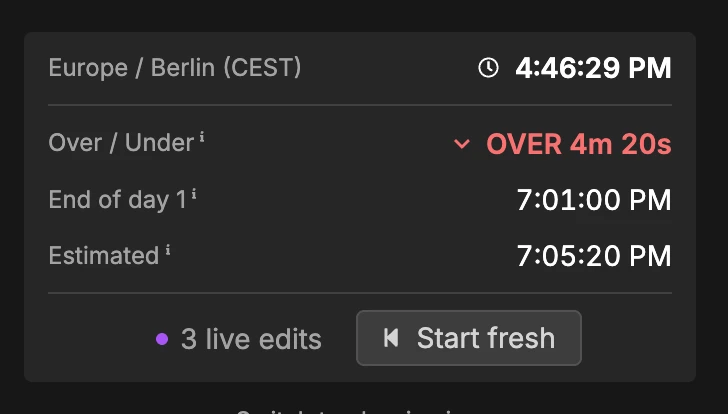
Every live edit can be undone, including a deleted cue. Start fresh clears the run for the next rehearsal or the next day.
One event date
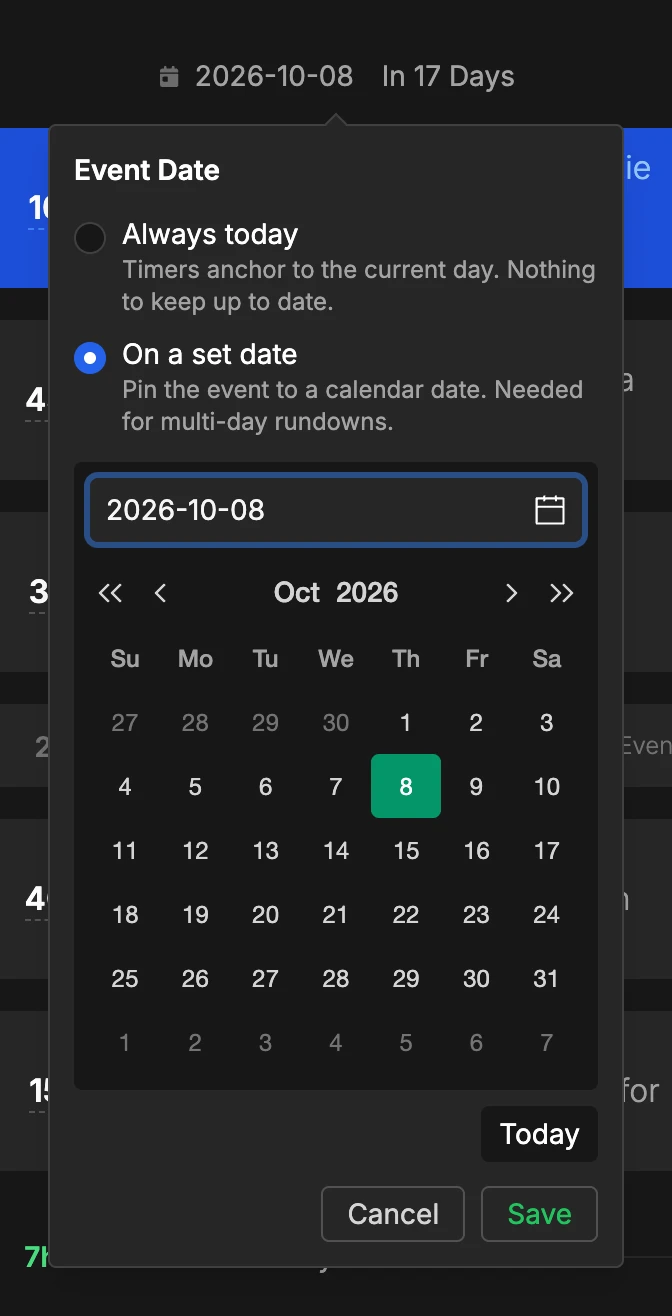
A room now has one event date instead of a date on every timer. “Always today” for the daily stand-up, “On a set date” for the conference. Change the date and every time in the room moves with it, so running last year’s rundown again is a one-click job.
Multi-day shows
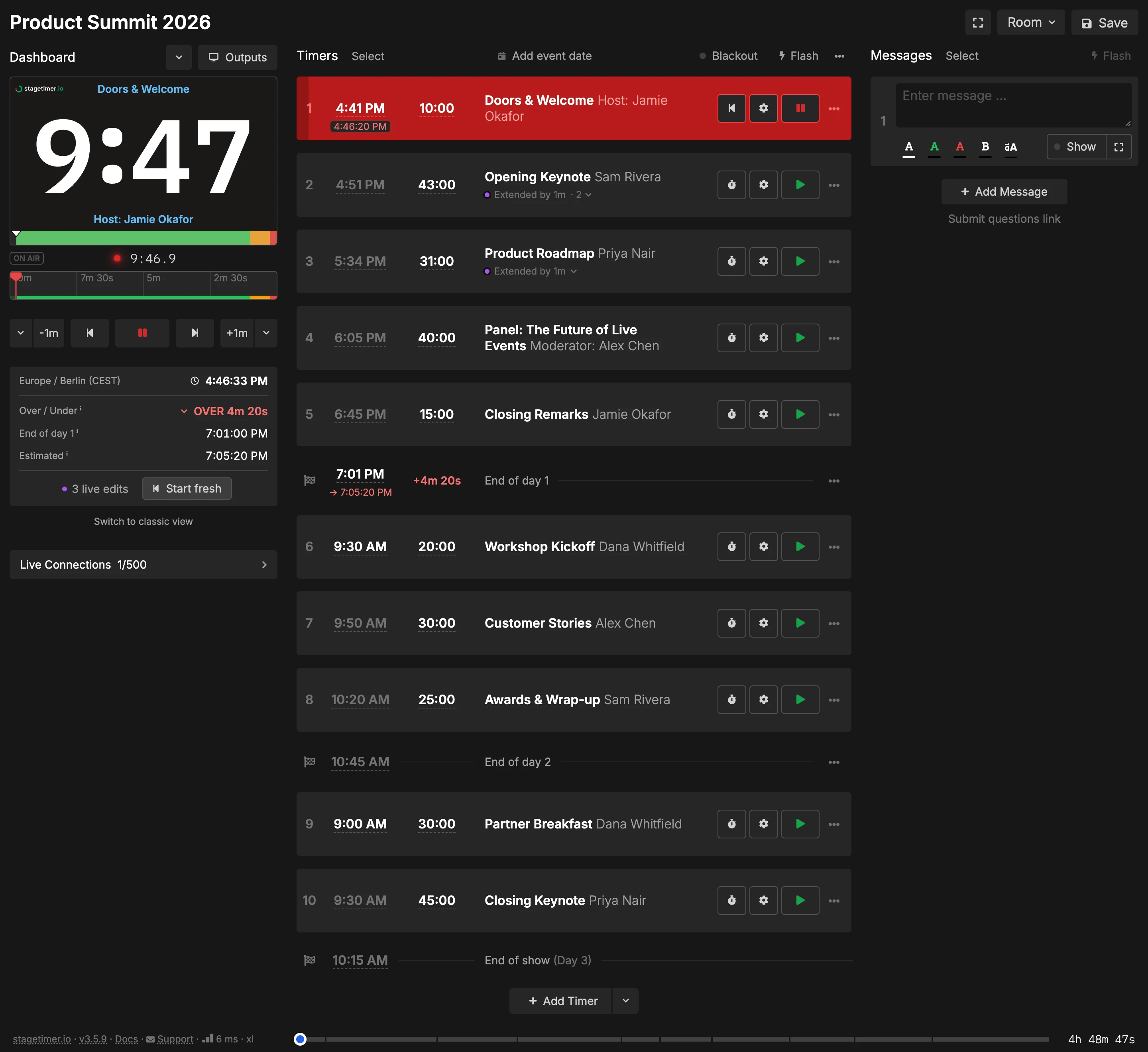
Insert an End of day row anywhere in the rundown and the cues after it belong to the next day. One room holds a three-day conference. CSV import and export carry the days too.
End of show and resume
The last row of the rundown is the end of show. Type a time to fix it, or leave it empty and it follows the last timer. It also decides what happens at zero: stop, or loop the rundown 2× to 10×.
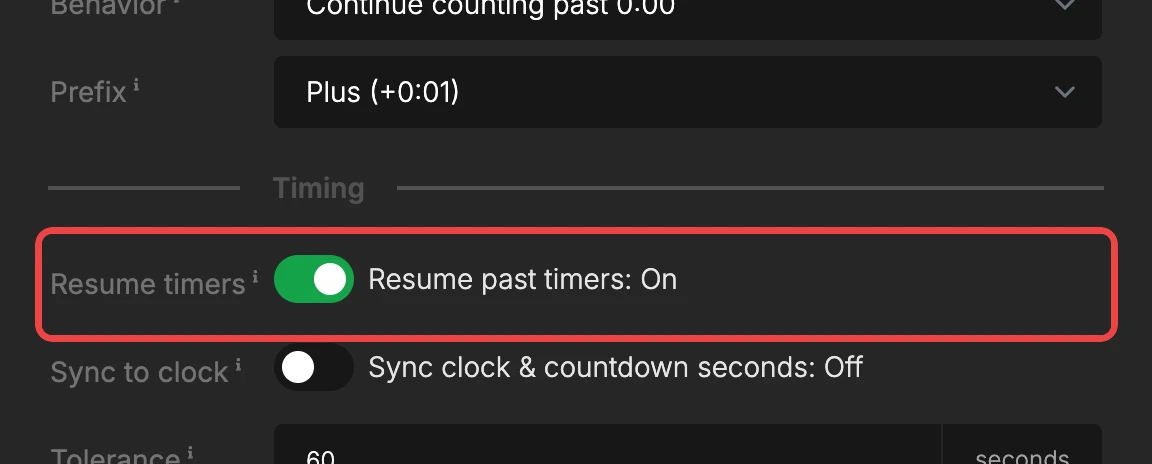
Resume timers is a new room setting: a timer that already ran picks up where it stopped instead of starting over.
Classic view
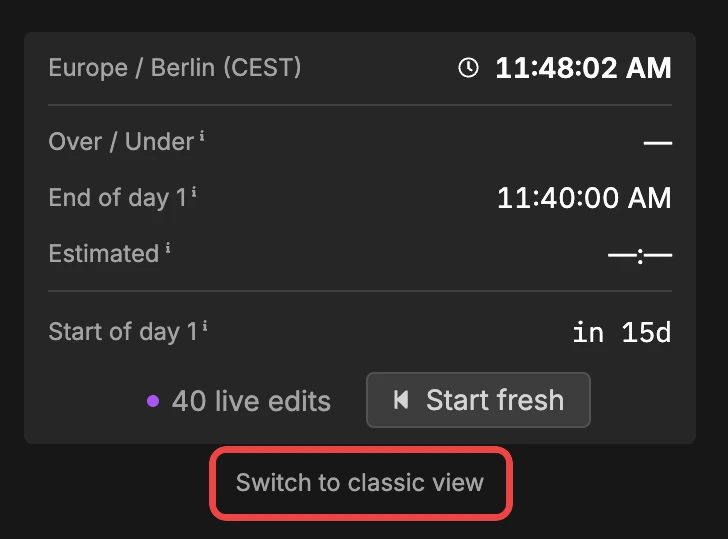
Rooms created before this update open in classic view, which is Stagetimer as it was. A button under the readout switches to the new timing view and back, so you can try it on a rehearsal and keep the old view for a show that’s already built. Classic view retires in September 2027.
Full documentation: Running Your Show on Time
Everything else in 3.6
Dashboard folders. Sort rooms into nested folders with per-folder access, list or grid view, sorting and pinning. The dashboard got a dark mode, and your five most recent rooms sit in the account menu.
Custom chimes. Upload your own wrap-up sounds.
CSV import from the dashboard. New → Import CSV creates a room from a rundown sheet and lands you in it. Anyone with a controller link can import, and you can drop a file onto the popup.
Message shortcuts. Shift+1 to Shift+9 show and hide the first nine messages.
All changes: Changelog
Questions or issues? Contact support
Cheers,
Lukas
Stay updated on future releases: