
Church countdown timer software
Keep sermons, worship sets, and every part of your service on schedule. Stagetimer runs in the browser — no expensive hardware, no software to install. Control from your phone, display on any screen.
Free, no signup required

Why churches need a better timer
Most church timing solutions are either too expensive, too complex, or too basic. Here's what teams typically deal with.
Hardware timers
Dedicated hardware like DSAN Limitimer systems costs $900–$2,000+ for a basic setup. They show countdown lights but can't display clock time, messages, or connect to multiple screens.
- Expensive for church budgets
- No text messages to speakers
- Single display only
ProPresenter timers
ProPresenter has a built-in timer, but it's designed for presentation slides — not dedicated timing. The timer is small, hard to read from stage, and tied to the presentation computer.
- Timer is secondary to slides
- Requires a dedicated computer
- Can't control from a phone
Paper signs & hand signals
The classic approach: someone in the front row holds up "5 MINUTES" on a piece of paper. It works — until the pastor doesn't see it, or the volunteer has to leave their seat.
- Easy to miss
- Requires a dedicated person
- No precision timing
Simple to use & easy to share
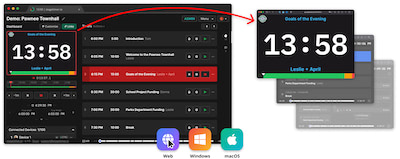
Stagetimer is a remote-controlled countdown timer that allows you to set, start, pause, and reset a timer from any device with a web browser. It is available as a web application, as well as standalone versions for Windows and Mac. It include the ability to share the timer via unique links, display customizable messages on the timer, and control the timer remotely. It is perfect for events, meetings, and presentations, and is simple and easy to use.

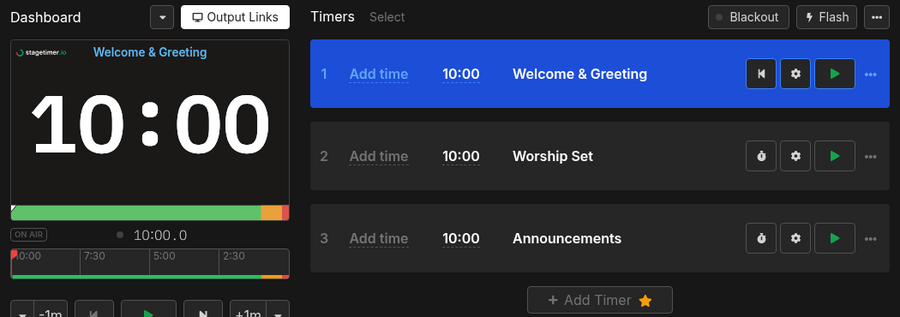
Build your service rundown in minutes
Set up timers for welcome, worship, sermon, offering, and announcements. Link them together so each segment starts when the previous one ends — or trigger them manually when the moment is right.
- Create a timer for each part of the service
- Link timers to run in sequence automatically
- Add buffer time between segments
Keep speakers on time without awkward signals
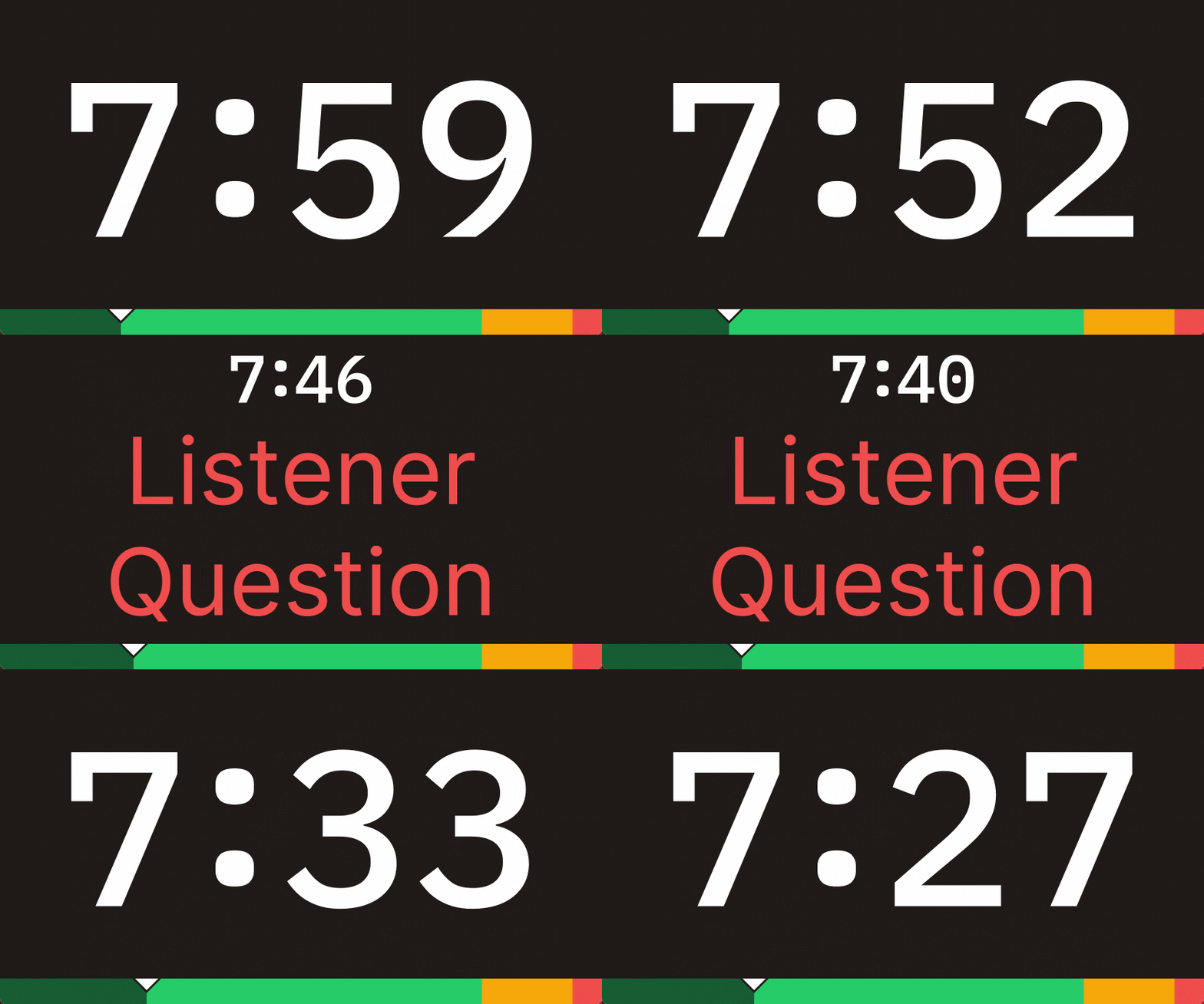
Put a countdown display on a monitor facing the stage. The pastor sees exactly how much time is left. Need to send a message? Type it on your phone and it appears on their screen — no paper signs, no waving from the front row.
- Control timers from your phone or tablet
- Send messages like "Wrap up" to the speaker's screen
- Share the timer with a link — no app to install
One timer, every screen
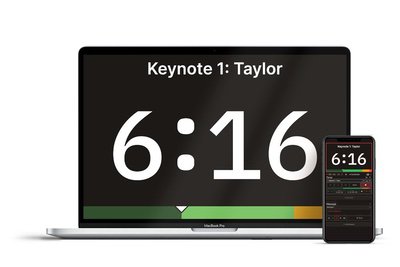
Show the countdown on a stage monitor, a sound booth screen, and the worship leader's tablet — all synced through one shared link. Multi-campus churches can even share timers across locations, with time zones adjusting automatically.
- Display timers on multiple screens at once
- Works on any device with a browser
- Time zones handled automatically for multi-site churches
What teams say about Stagetimer

Founder & Creative Director at Southam Creative

Alec Creighton
Owner/General Manager at Northeast Colorado Broadcasting
Switching from a hardware speaker timer like the DSAN Limitimer? See how Stagetimer compares →
Pricing
Stagetimer's speaker timer has some of the most affordable pricing. Enjoy all the essential timer-management functions for free.
Need our premium countdown timer for a one-time event? Pay a one-time flat fee and get full-time access for 10 days. Or, pay a small monthly subscription (save 20% annually) for ongoing access to our full-suite public speaking timers to create and manage your events and presentations.
Prices shown in US dollars (USD)
Starter
Pro
Pro, subscription, billed annually
Premium
Premium, subscription, billed annually
Frequently asked questions
Can I time individual segments of a worship service?
Yes.
Create a timer for each segment — welcome, worship set, sermon, offering, announcements — and link them in sequence. When one ends, the next starts automatically. You can also start any timer manually if the service flow changes.
Can the pastor see the timer without the congregation seeing it?
Yes.
Open the viewer link on a small monitor facing the stage or pulpit — only the speaker sees it. The congregation sees your normal presentation slides or nothing at all. You can also send on-screen messages like "2 minutes left" that only appear on the speaker's display.
Does Stagetimer work offline for our church?
Yes.
The desktop app runs a local server on your computer. Devices on the same network can connect without internet. This is useful for churches with unreliable Wi-Fi or strict network policies.
Is there a free option for small churches?
Yes.
Stagetimer's free tier includes a fully functional timer with up to 3 live connections. That's enough for one controller and two displays. No credit card, no signup — just create a room and start timing.
Do I need special hardware or a dedicated computer?
No.
Stagetimer runs entirely in the browser. Use any laptop, tablet, or phone to control the timer. Display it on any screen — a TV behind the sound booth, a monitor on the pulpit, or a laptop on stage. No downloads, no dedicated hardware boxes.
Can volunteers run this without technical training?
Yes.
The controller interface is simple enough for a first-time volunteer to operate. Start, pause, skip — that's it. No DIP switches, no proprietary software to learn.
Can I customize the timer to match our church branding?
Yes.
With a Premium plan, you can change colors, fonts, text sizes, and backgrounds. Add your church logo or use your brand colors so the timer fits seamlessly into your stage setup.