
Why Meetings Overrun and How to Fix It

Everyone has sat through a meeting that was supposed to end at 11:00 and dragged past 11:30. It throws off the rest of the day — the next meeting starts late, focus time disappears, and half the room mentally checks out. The causes are predictable, and each one has a fix.
Why It Happens
No time blocks. An agenda without durations is a wish list. “Discuss Q1 results” can take 5 minutes or 45. Without a number next to it, you won’t know which one until you’re already behind.
No visible clock. When nobody can see how much time is left, there’s no pressure to wrap up. Speakers aren’t trying to go long — they just lose track.
Late starts compound. A presenter who starts 8 minutes late still needs their full slot. Every delay pushes the rest of the agenda forward. By the afternoon, you’re 45 minutes behind and nobody remembers why.
One topic swallows the rest. The most interesting — or contentious — discussion expands to fill all available time. The last three items get “bumped to next week.” Every week.
Assign Time to Every Agenda Item
Write specific durations next to each topic before the meeting. Not “a few minutes” — actual numbers: 5 min, 12 min, 8 min. This forces you to prioritize before anyone opens their mouth.
For recurring meetings, track how long items actually take. If “project updates” consistently needs 20 minutes, stop scheduling 10. Share the timed agenda beforehand so participants can prepare accordingly — a speaker who knows they have 8 minutes prepares differently than one told they have “some time.”
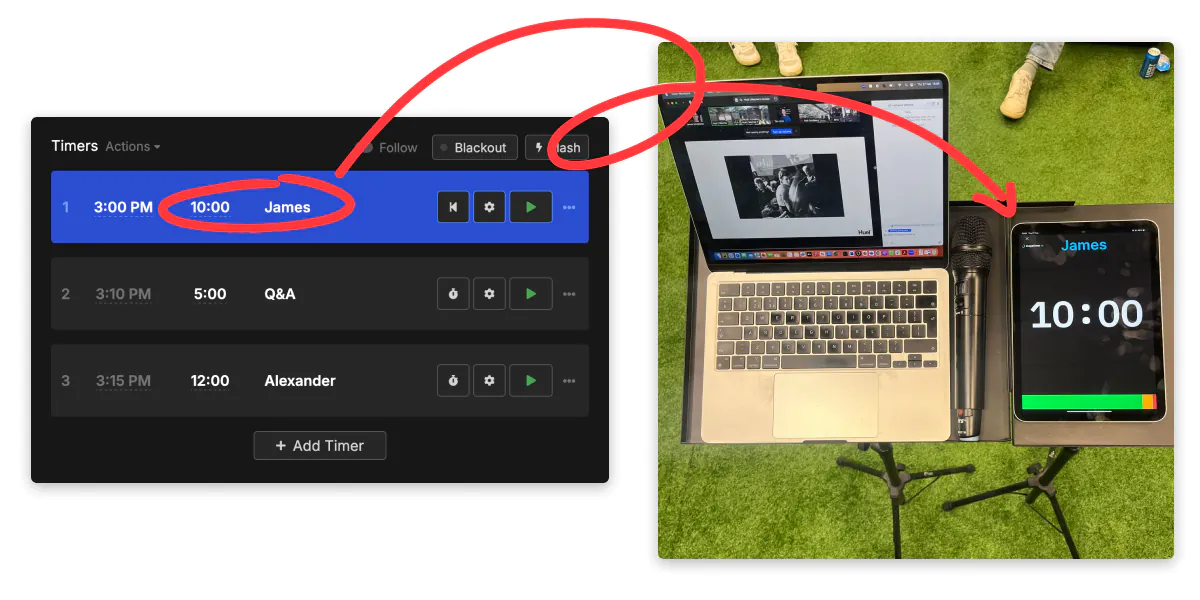
Stagetimer lets you create labeled timers for each agenda item and share the agenda view via link or QR code. Set timers to auto-play and the next item starts automatically when time runs out — no manual intervention needed.
Make Time Visible
Put a countdown where everyone can see it. A laptop screen at the front of the table, a shared tab on a conference room display, or a monitor next to the projector. When people watch time tick away, they self-correct.
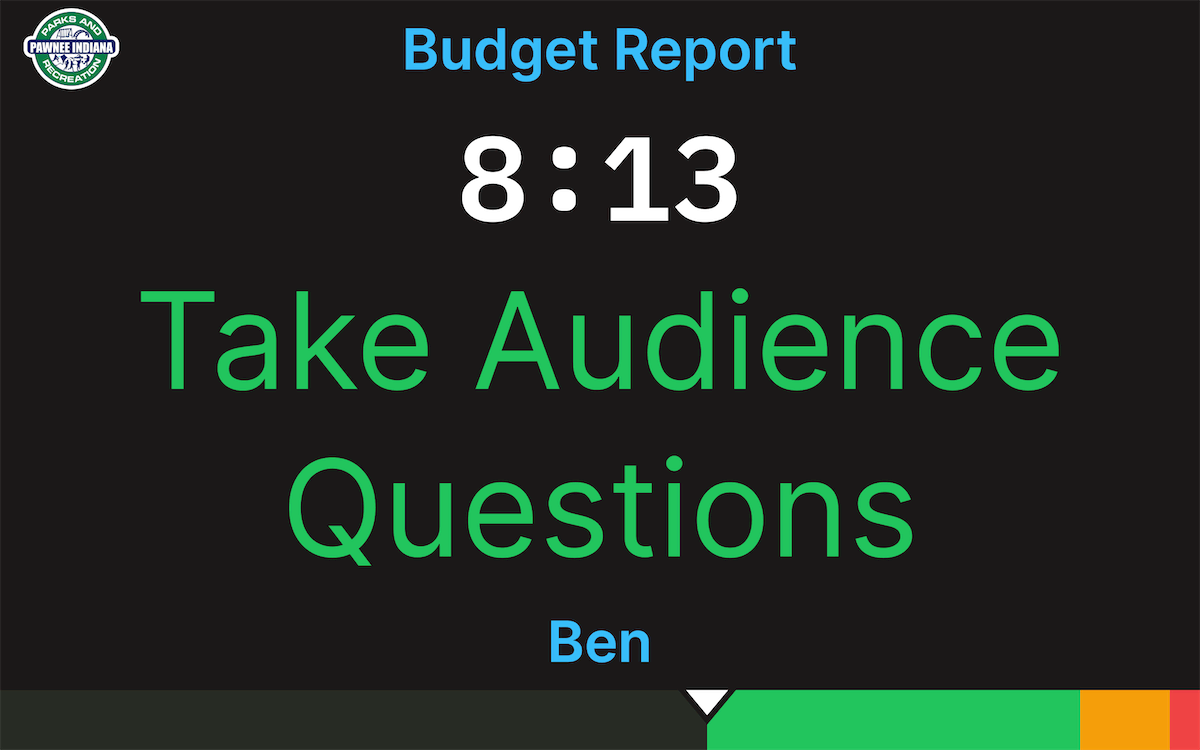
Color-coded warnings make it effortless. Stagetimer’s wrap-up bar shifts from green to yellow to red as time runs out — then counts up in red so everyone sees exactly how far over they are. You can add chimes at specific thresholds if visual cues alone don’t do the trick.
For remote meetings, share a viewer link in the chat. Each participant opens it in their own browser and sees a synced countdown. You can also screen share the timer in Zoom or display it through OBS as a virtual camera feed.
When someone talks past their time, send a message directly to the display: “Let’s wrap this point” or “Time for questions.” It’s less awkward than cutting someone off out loud — and harder to ignore than a hand wave from the back of the room.
Recover When You Fall Behind
A meeting that starts 5 minutes late doesn’t have to end 5 minutes late. You have options:
- Use the buffer. If you built 5 minutes between items, spend it.
- Skip low-priority items. Move them to email or a follow-up. Don’t sacrifice the important discussion for the sake of completeness.
- Shorten remaining slots. Trim 2 minutes from each to claw back the gap.
- End on time anyway. Say “We’re at time — let’s continue Thursday” and stop. People respect the boundary more than the topic.
Stagetimer’s over/under indicator shows exactly how far behind (or ahead) your schedule is across the full agenda. If the first speaker runs 3 minutes long, you see it immediately and can adjust before the delay compounds.
Start Simple
You don’t need elaborate meeting management systems. Assign time blocks, make the clock visible, and respect the end time. Most meetings overrun because nobody does the first two. Fix those and the rest takes care of itself.
For events or conferences with multiple speakers, see How to Prevent Speaker Time Overruns.