
Product Update 3.7:
Groups, Custom Fields & Over/Under

Headings and groups
A long run of show is hard to scan. Now you can put cues into groups and add headings. Cues in a group get sub-numbers: 2.1, 2.2. The group heading shows the start time and the total duration of its children.
To make a group, click Select above the timer list, select the cues and click Group. Groups can have a color and can be collapsed.
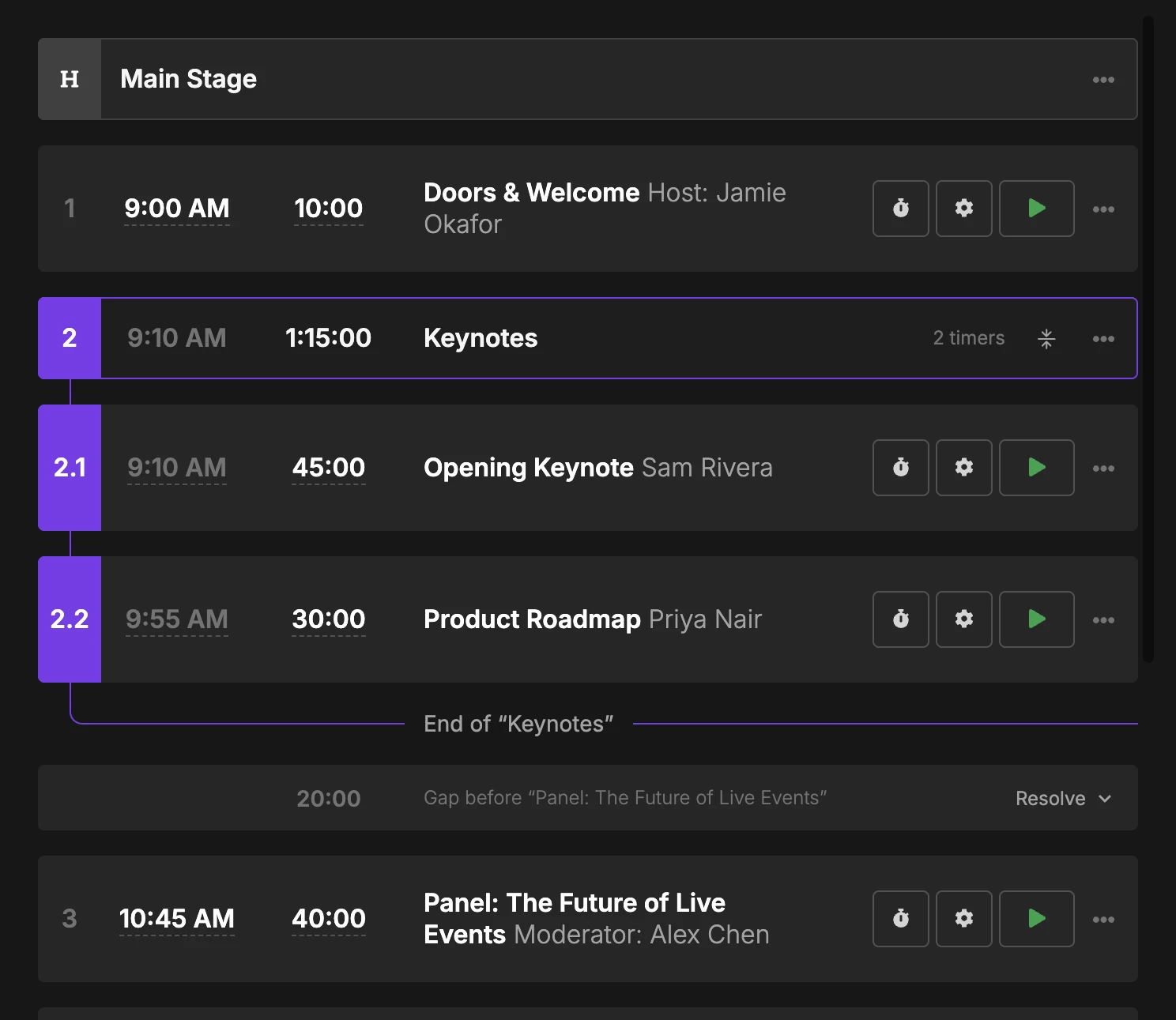
The API uses the same numbers now. Send index=2.1 to target the first cue in group 2. Read more in Headings and Groups.
Custom fields
Many of us, me included, used the notes to store extra data for each cue. Now there is a better way. Custom fields add structured data to each cue. Use the simple key-value editor, or paste a full JSON payload.
Open the title/speaker editing area of a cue and click Add custom fields. Type a key and a value. Switch to JSON to paste data or to add nested values.
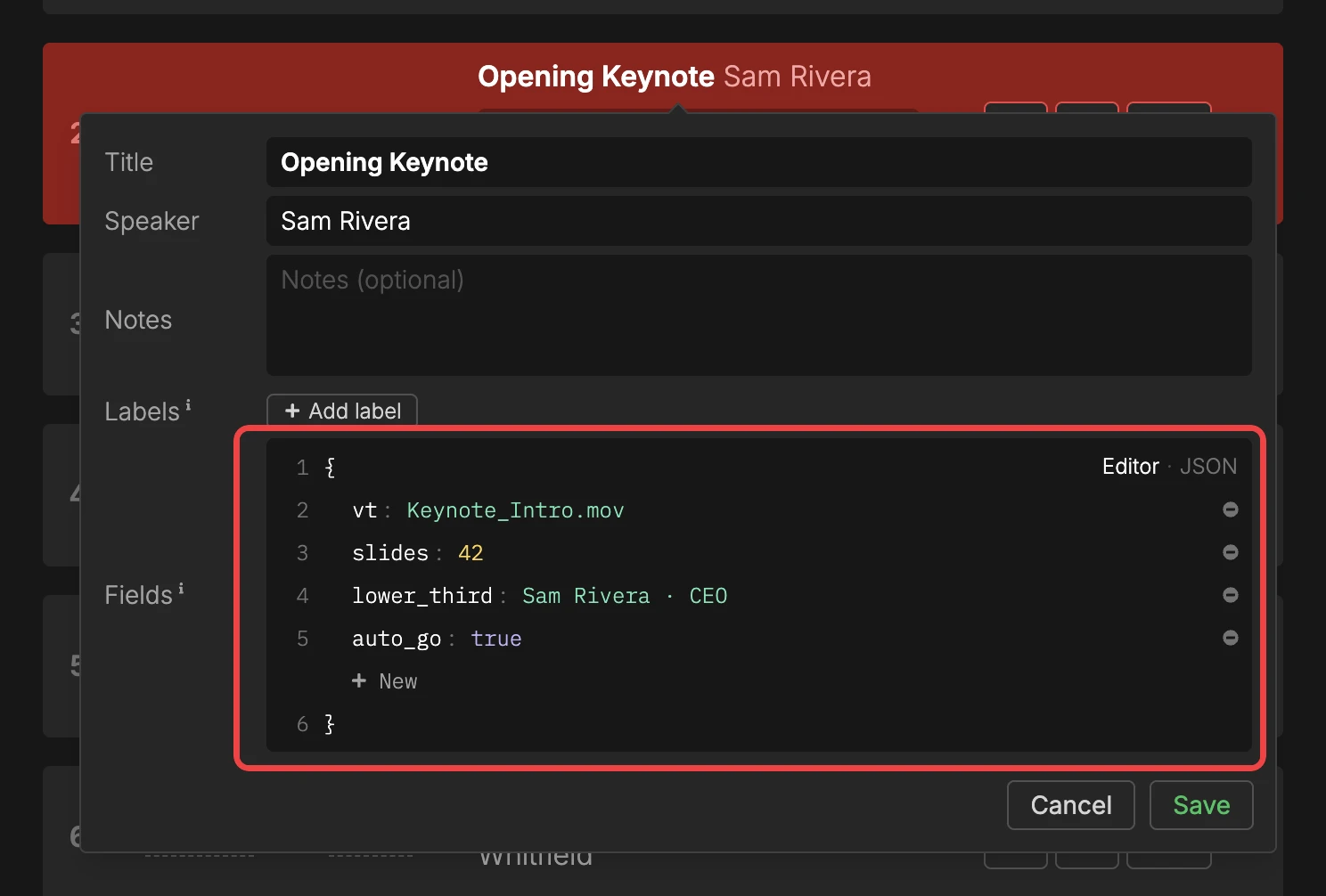
Fields are part of the timer object in the API and in the current_timer and next_timer socket events. Your script gets the data of a cue when the cue starts. We’re working on an update to the Companion module.
JSON export and import keep the fields, and the desktop app has them too. Custom fields are available on all plans. Read more in Custom Fields.
Over/Under element
Version 3.6 showed the over/under in the controller. Now the crew can see it too, with the new Over/Under element. It shows ON TIME or UNDER 2m in green, and OVER 5m in red.
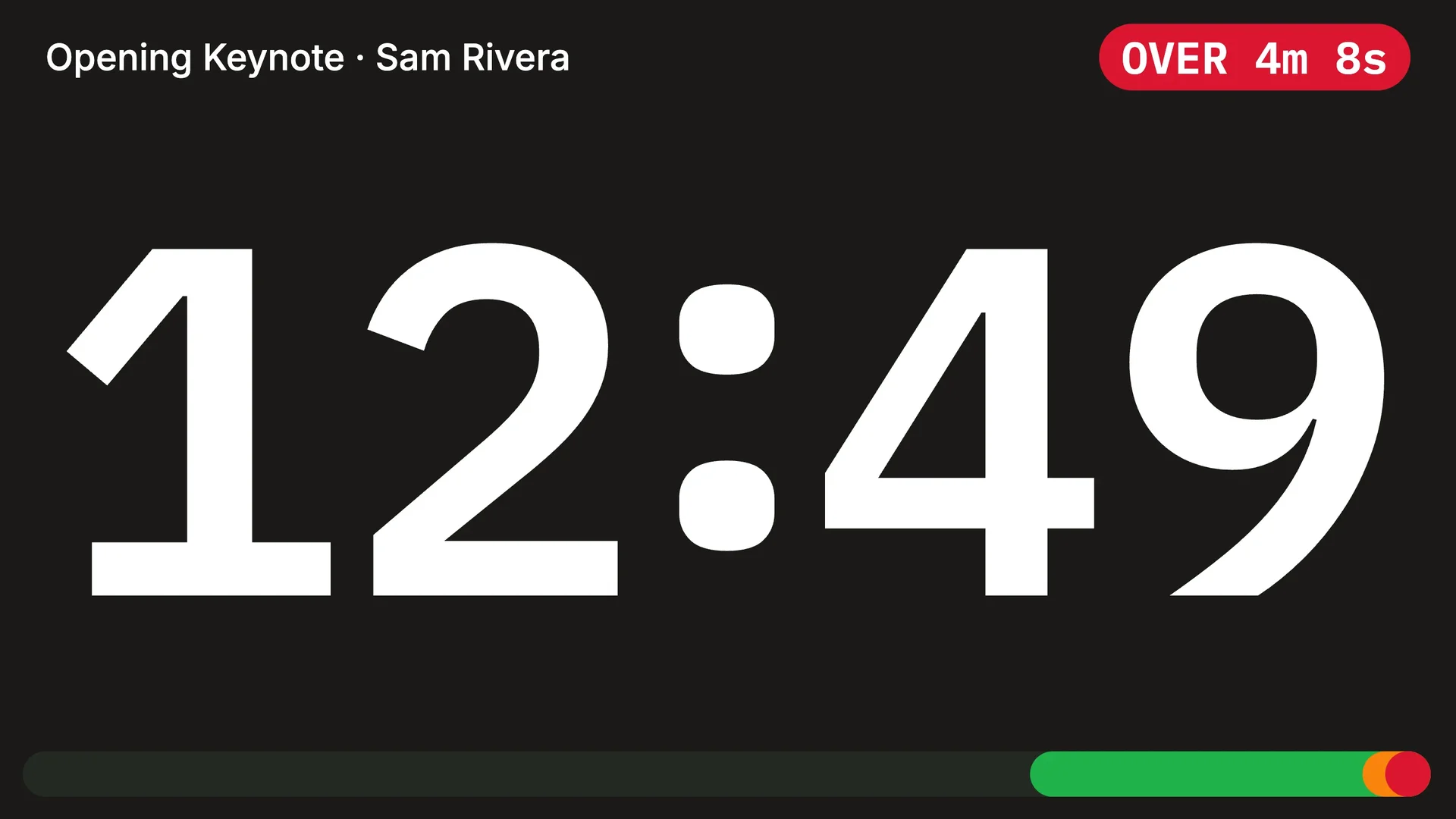
It comes as colored text or a colored pill, in your own colors. Green and red follow the room’s tolerance.
$OVER_UNDER placeholder on any plan.
New placeholders
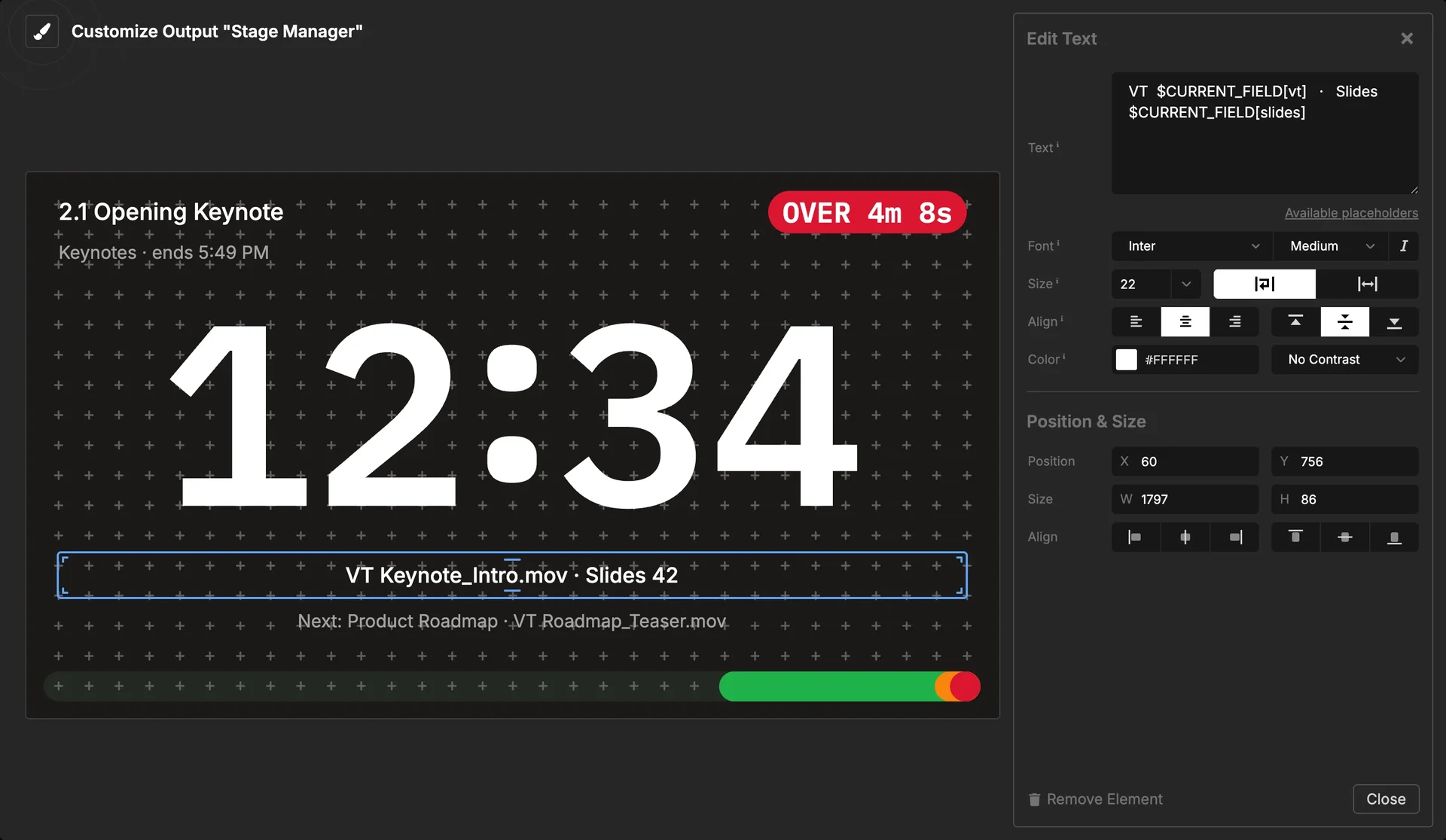
Groups, custom fields and the over/under all come with placeholders. This is where the features come together. I built a stage manager output with four text elements:
$CURRENT_INDEX  $CURRENT_TITLE
$CURRENT_GROUP_TITLE · ends $CURRENT_GROUP_FINISH
VT  $CURRENT_FIELD[vt]   ·   Slides  $CURRENT_FIELD[slides]
Next: $NEXT_TITLE  ·  VT  $NEXT_FIELD[vt]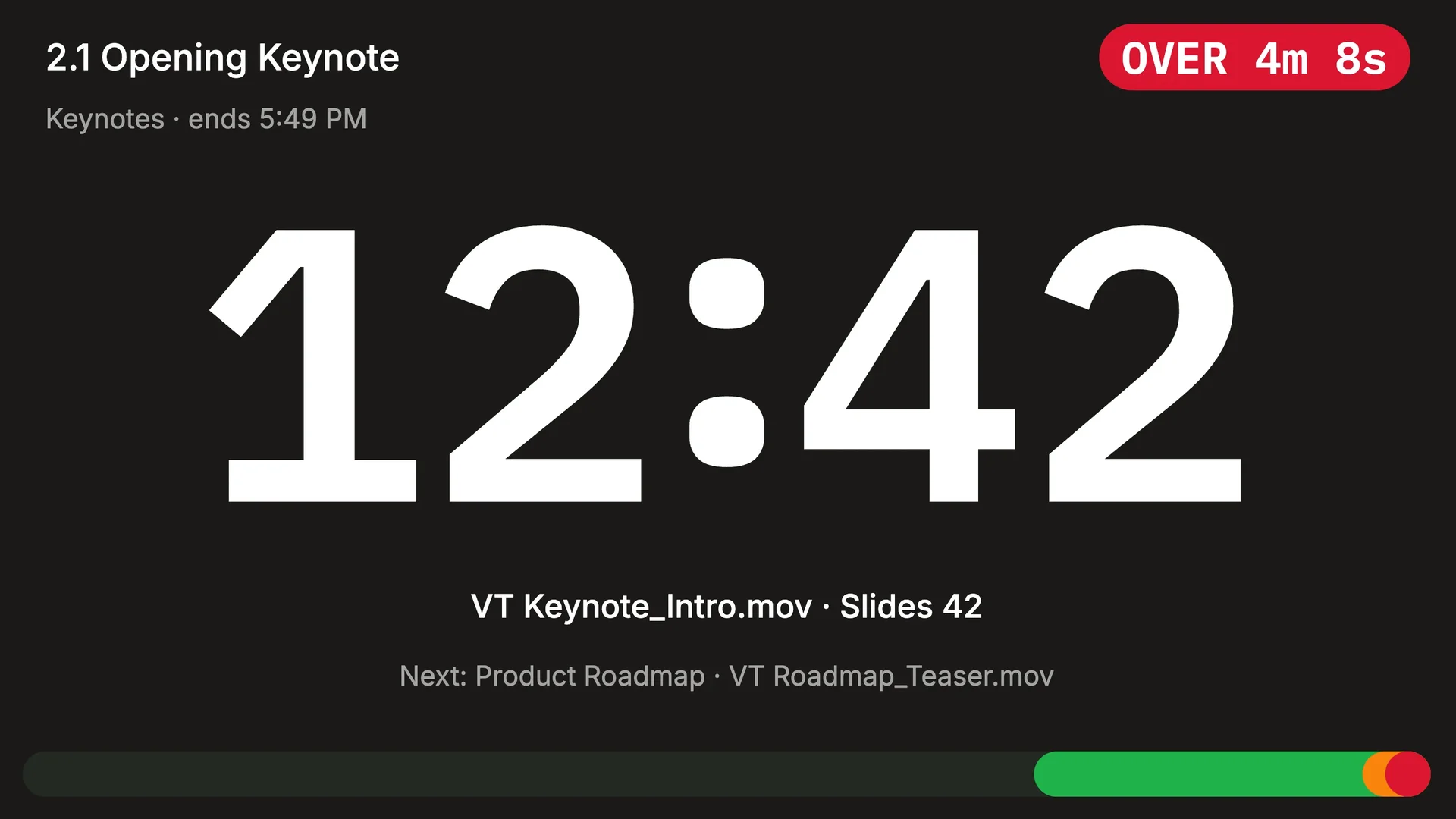
You don’t need to remember them. Type $ in a text element or a message, and a list shows every placeholder with its live value.
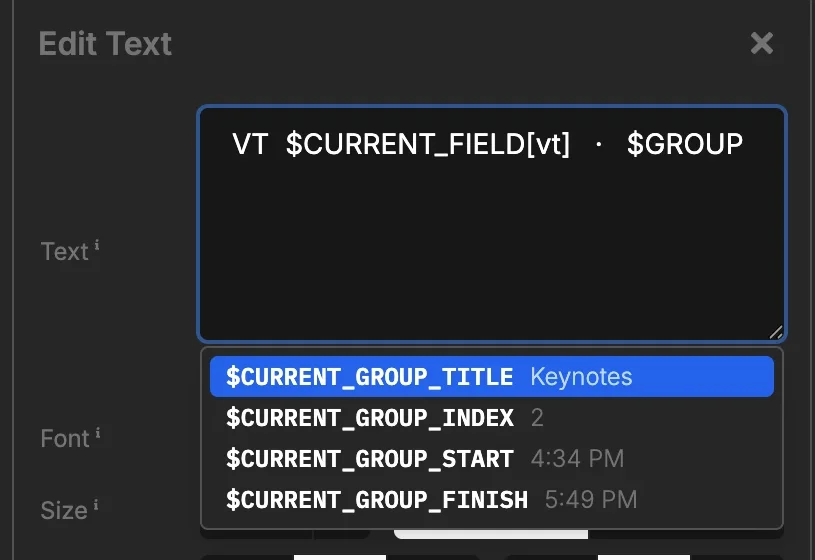
$ to pick a placeholderAll placeholders are in Available Placeholders.
A more precise output editor
The output editor now works in pixels. Each element has fields for X/Y position and width/height. Arrow keys move an element by 1 px, Cmd/Ctrl+D duplicates it, and copy and paste work between outputs.
Text, timer, clock and message elements can also have a fixed font size.
API v0 stops on December 31
If your scripts or devices still call api.stagetimer.io/v0/, move them to API v1 before then.
All changes: Changelog. Questions or issues? Contact support
Cheers,
Lukas
Stay updated on future releases: