
On Air Element
What is the On Air Element?
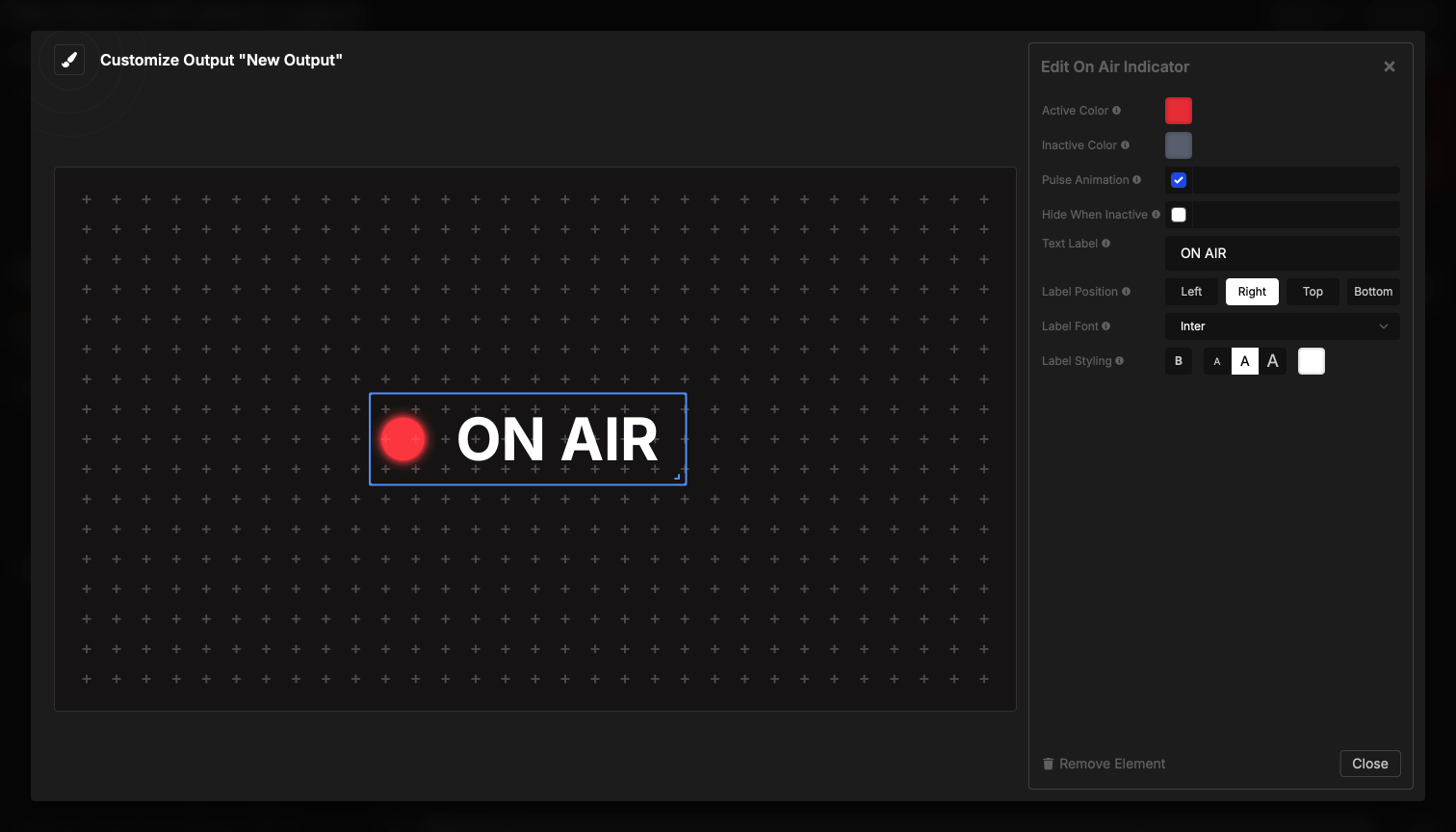
The On Air element shows a glowing indicator that signals whether you’re live. Presenters and crew can see at a glance whether they’re on air.
How It Works
By default, the indicator responds to the room’s On-Air toggle — a small button in the transport controls area of the Controller. Click the toggle to manually switch between on-air and off-air states.
You can optionally enable Follow Timer (“Activate when timer is running”) in the element settings. With this enabled, the indicator also lights up whenever any timer is running. When Follow Timer is on, the indicator activates if the On-Air toggle is on or a timer is running.
Visual states:
- Active (On Air): Bright, glowing indicator — on-air toggle is on, or a timer is running (when Follow Timer is enabled)
- Inactive: Dimmed or hidden — neither condition is met
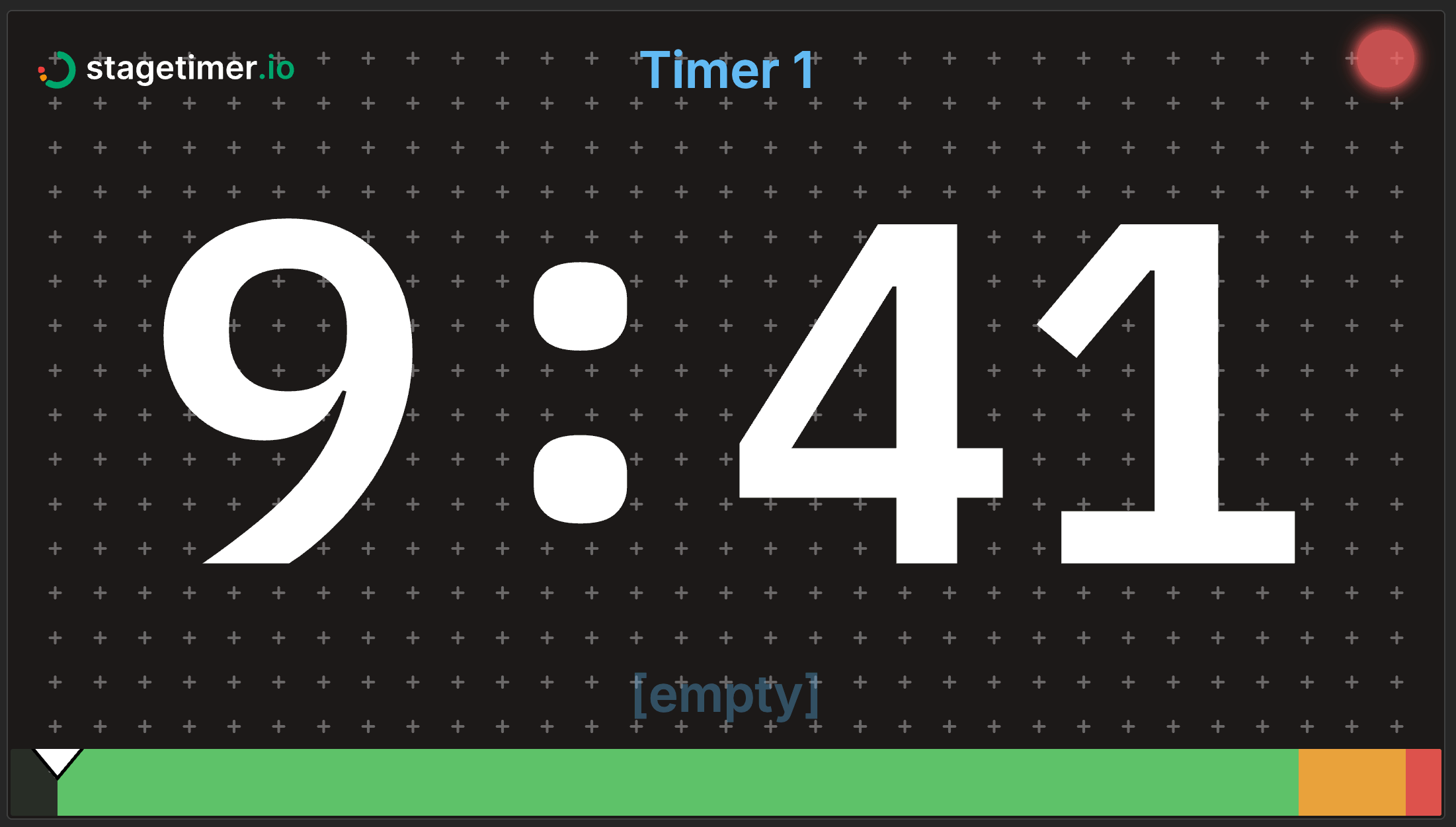
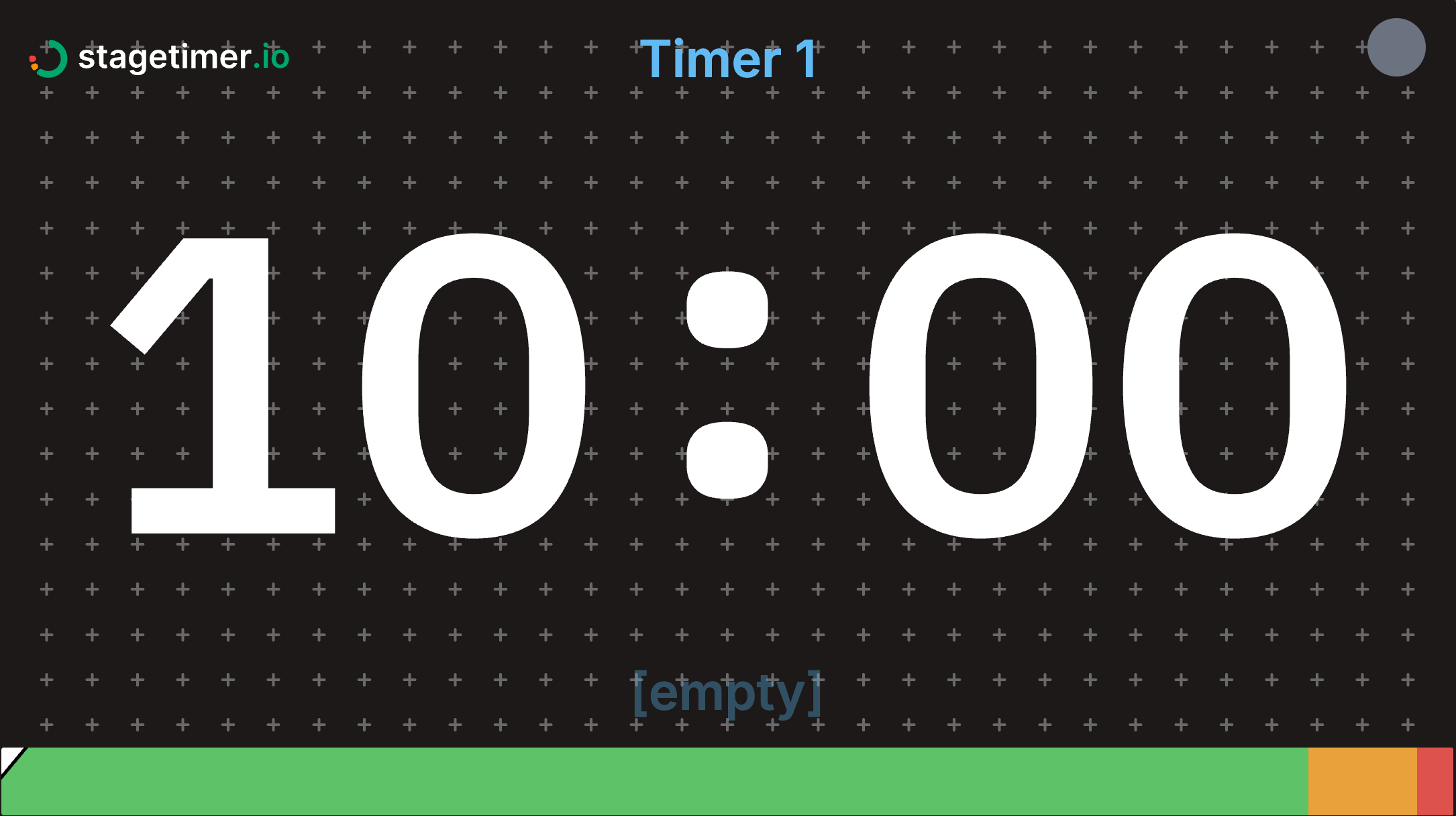
Element Settings
Activation
- Follow Timer — “Activate when timer is running”. When enabled, the indicator lights up whenever any timer is running, in addition to responding to the On-Air toggle. Off by default.
Indicator Appearance
- Size Preset — Small, Medium, or Large. Default: Medium.
- Active Color — The indicator color when on air. Default: red (#ef4444).
- Inactive Color — The dimmed indicator color when off air. Default: gray (#6b7280).
Behavior
- Pulse Animation — Toggle the pulsing glow effect. On by default.
- Hide When Inactive — Completely hide the indicator when off air instead of showing the dimmed state. Off by default.
Label
- Text Label — Custom text displayed next to the indicator. Placeholder is “ON AIR” but the field is empty by default.
- Label Position — Left, Right, Top, or Bottom of the indicator dot. Default: Right. Only shown when a label is set.
- Label Font — Choose from available fonts. Only shown when a label is set.
- Label Styling — Weight (bold), italic, size, and text color. Only shown when a label is set.
Use Cases
The On Air element is most commonly used in broadcast production to signal talent and crew when recording or streaming is live — the On-Air toggle gives you manual control over exactly when the indicator lights up. It also works well as part of a speaker confidence monitor: enable Follow Timer and presenters automatically see when their timer is running without anyone pressing a button.
Beyond the stage, you can place indicators in green rooms or backstage holding areas so speakers at multi-room events know when to prepare. Production crew can use it as a simple visual cue that timing is active anywhere in the venue.